The uberfast file & Markdown editor
A fast, free Markdown editor for Mac
Plain Markdown that formats itself as you type, JSON and YAML as searchable trees, super comfortable DIFF view between any two files, code syntax highlight, VIM mode, diagrams & maths formula support, and much more.
built by developers, for developers
See what it does
What is MMDZ?
MMDZ is an uber-fast, minimalist, offline, and free Markdown editor and viewer for macOS, made by Metamindz in London.
It easily becomes your day-to-day text files editor, as it supports most file formats, including syntax highlighting for code and live previews for Markdown.
We also added a very convenient MD editor, structured YAML and JSON file browser (+ built-in search & tree view), and a proper DIFF viewer between any two files.
We built it for ourselves and are now sharing it with the world. Hence, it is completely free, requires no registration, and has no analytics, telemetry, or anything like that.
- Price
- Free. No subscription, trial or in-app purchase
- Download
- 11.3 MB disk image
- Requires
- macOS 12 Monterey or later
- Runs on
- Apple silicon and Intel, natively
- Version
- 1.1.1, released 26 September 2026
Markdown that formats itself as you type
Headings, bold, lists, tables, task lists, maths and diagrams render in place. The Markdown syntax comes back only on the line you are editing, and the file on disk stays plain Markdown.


Drag the line: towards the bottom right for the Source, back up for Live Preview.Swipe sideways across the picture to compare the two views.
Three views of every document
- Live Preview, formatted as you typeOption Command 1
- Source, the raw Markdown, monospacedOption Command 2
- Reading, fully rendered and read-onlyOption Command 3
Command Slash cycles through them. Type Slash at the start of a line for the block menu.
Supported Markdown
- CommonMark
- GitHub Flavoured Markdown
- Tables
- Task lists
- Strikethrough
- Footnotes
- Autolinks
- Definition lists
- ==Highlights==
- Superscript and subscript
- [[Wiki links]]
- YAML front matter
- KaTeX maths
- Mermaid diagrams
- Syntax-highlighted code
JSON and YAML you can actually read
Open any JSON or YAML file as a collapsible tree. Search keys and values, with regular expressions if you want them, filter down to the matches, and copy exactly the part you need.
- Copy a value, the whole branch as JSON, its JSONPath, or its JSON Pointer (RFC 6901).
- JSON with comments and trailing commas opens fine, and a broken file still shows everything that can be read.
- YAML anchors and aliases show as badges. Multi-document files, tags and block scalars all work.
- Show in source jumps to the exact spot in the text. Format, minify or sort the keys of any JSON file.
- Files over 3 MB open in Source view first, so they appear straight away, with the tree one click away.


Compare any two files
Drop two files on a comparison tab to see every change line by line, with the exact words that changed highlighted. Switch between side-by-side and unified views, and copy the result as a standard patch.
- Works with any text files, not only Markdown.
- Unchanged lines fold away, git-style, and open up when you need them.
- Ignore whitespace or case, swap the sides, and jump between changes with Command G and Shift Command G.
- Or start from an open file: Compare This File With…, or Compare With Saved Version.
New comparison Option Shift Command D
Everything else it does
The small things you reach for every day, each one a shortcut away.
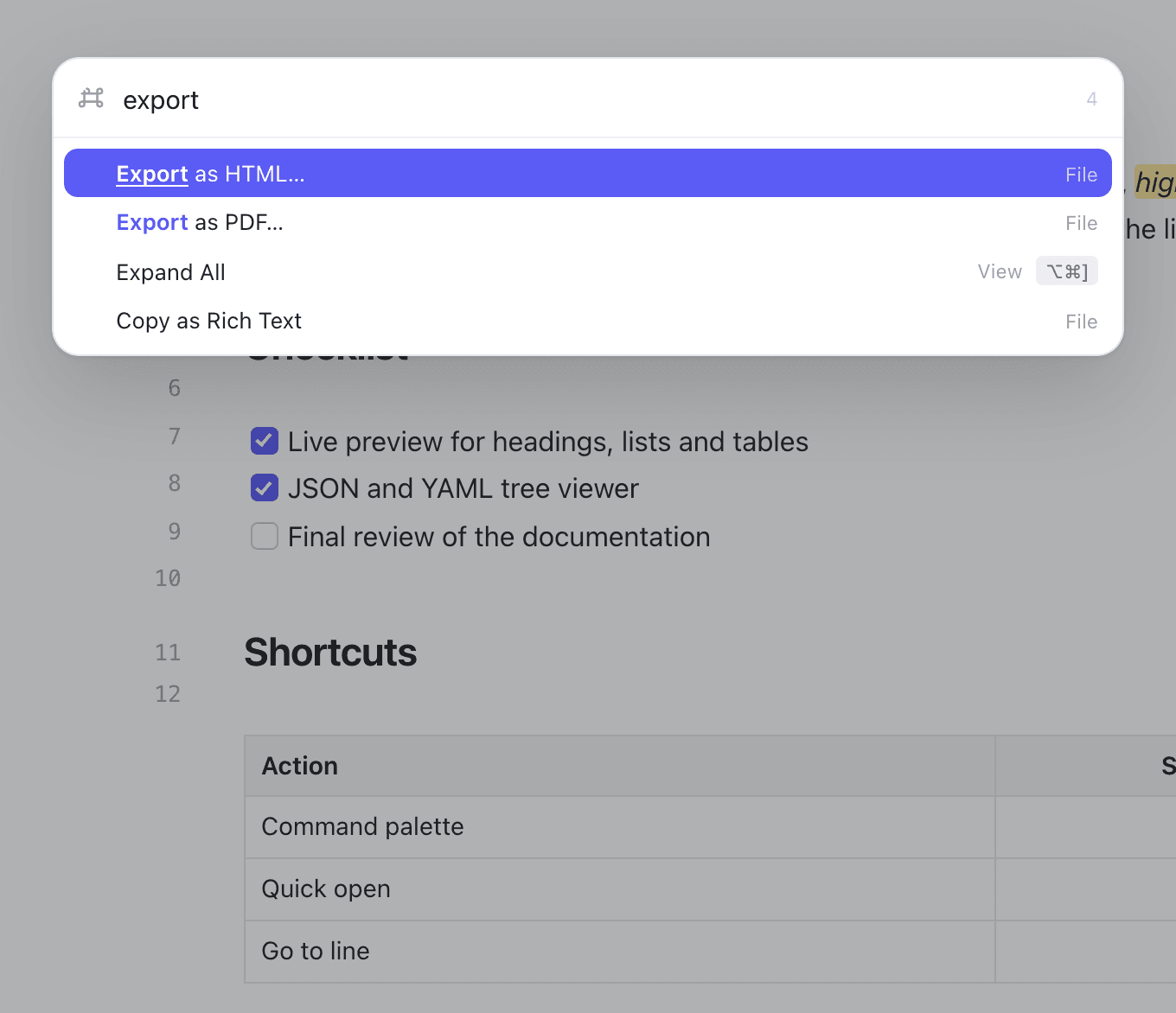
Command paletteCommand K
Type a few letters of a command, from Export as PDF to Expand All, and run it without reaching for a menu.
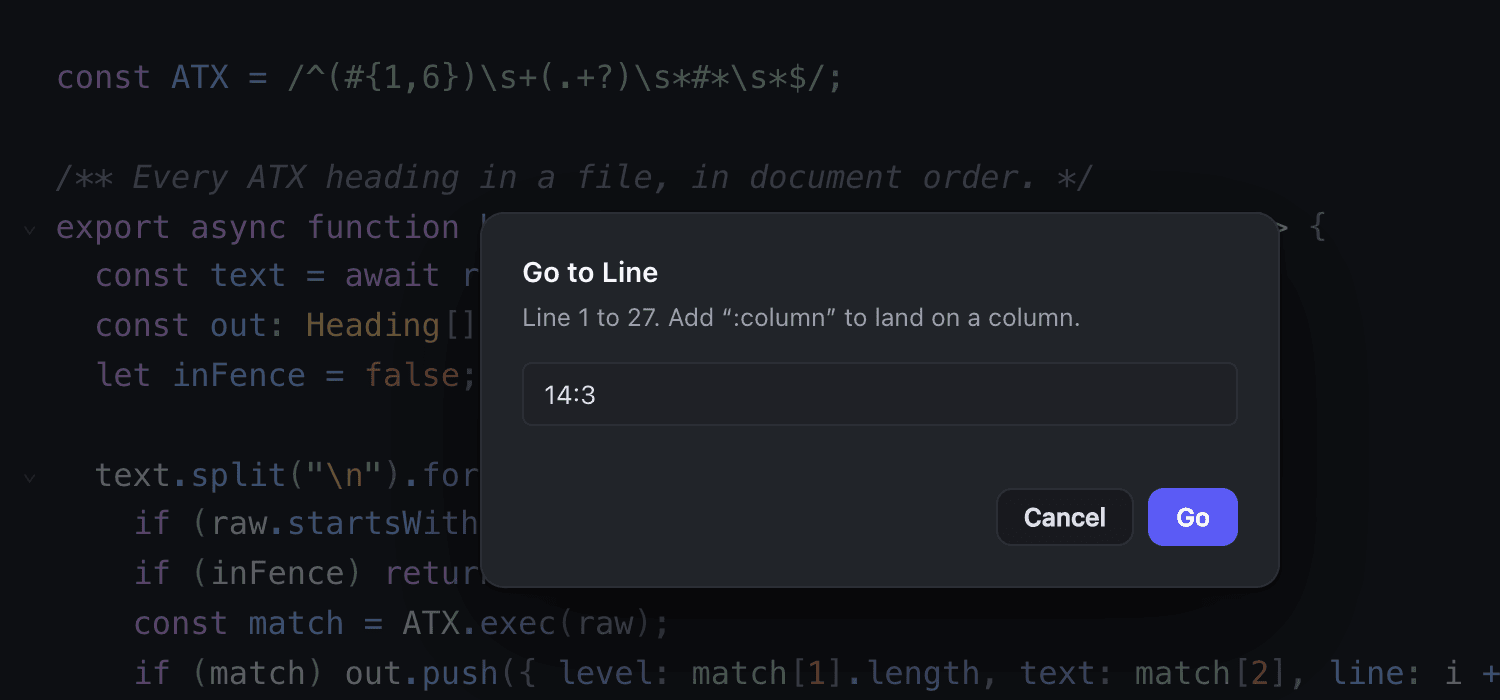
Go to lineControl G
Type 42, or 42:7 to land on a column. It works from any view, with line numbers in all of them.
Languages highlighted
Code and text files open with syntax highlighting chosen by extension, line numbers and code folding.
Whole folders
Open a folder as a file tree, jump to any file with Quick Open, or search every file in it at once.
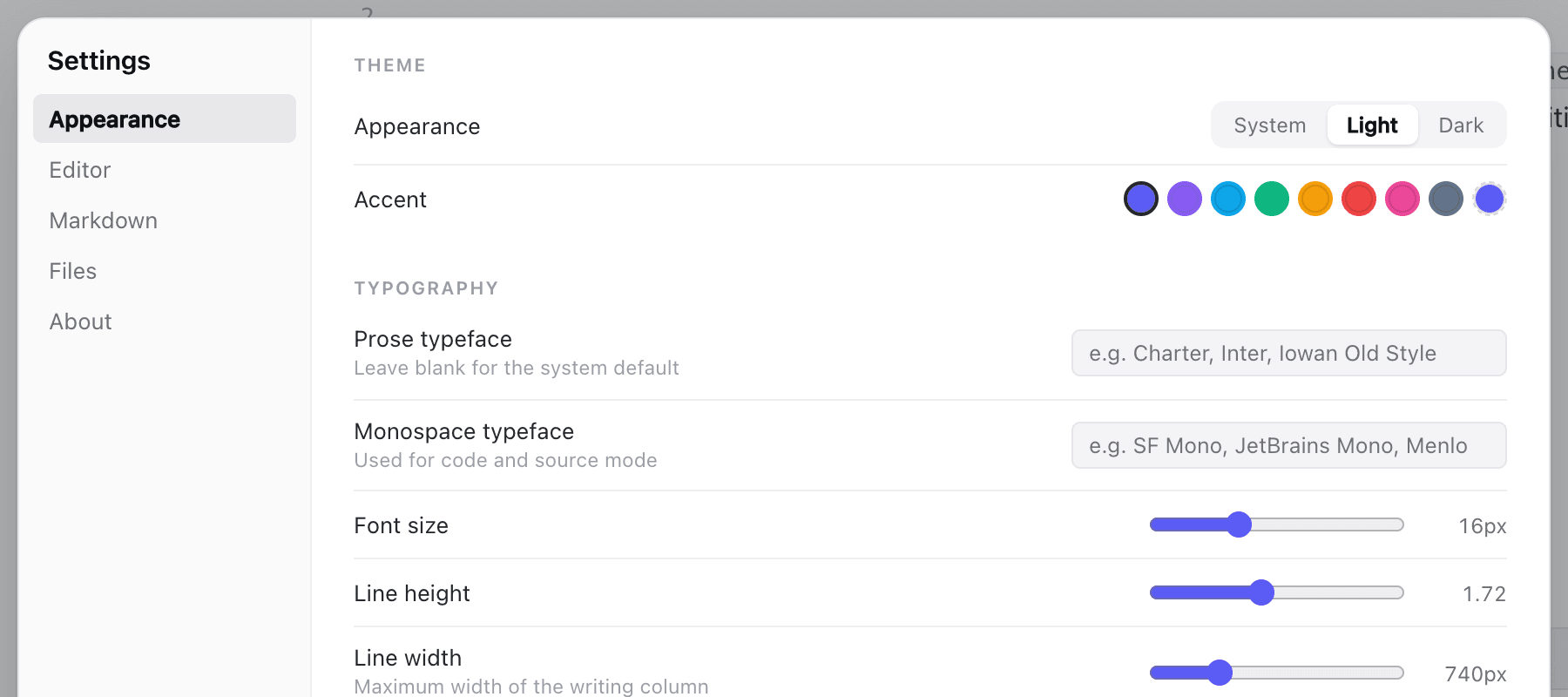
Make it yours
Light, dark or follow the system. Eight accent colours or one of your own, and your choice of typefaces, size and column width.
Print and PDF
Prints just the document, never the app around it. Export as PDF or as a self-contained HTML file.
Vim mode
Full modal editing for those who want it. Off by default; switch it on with ⌥⌘V.
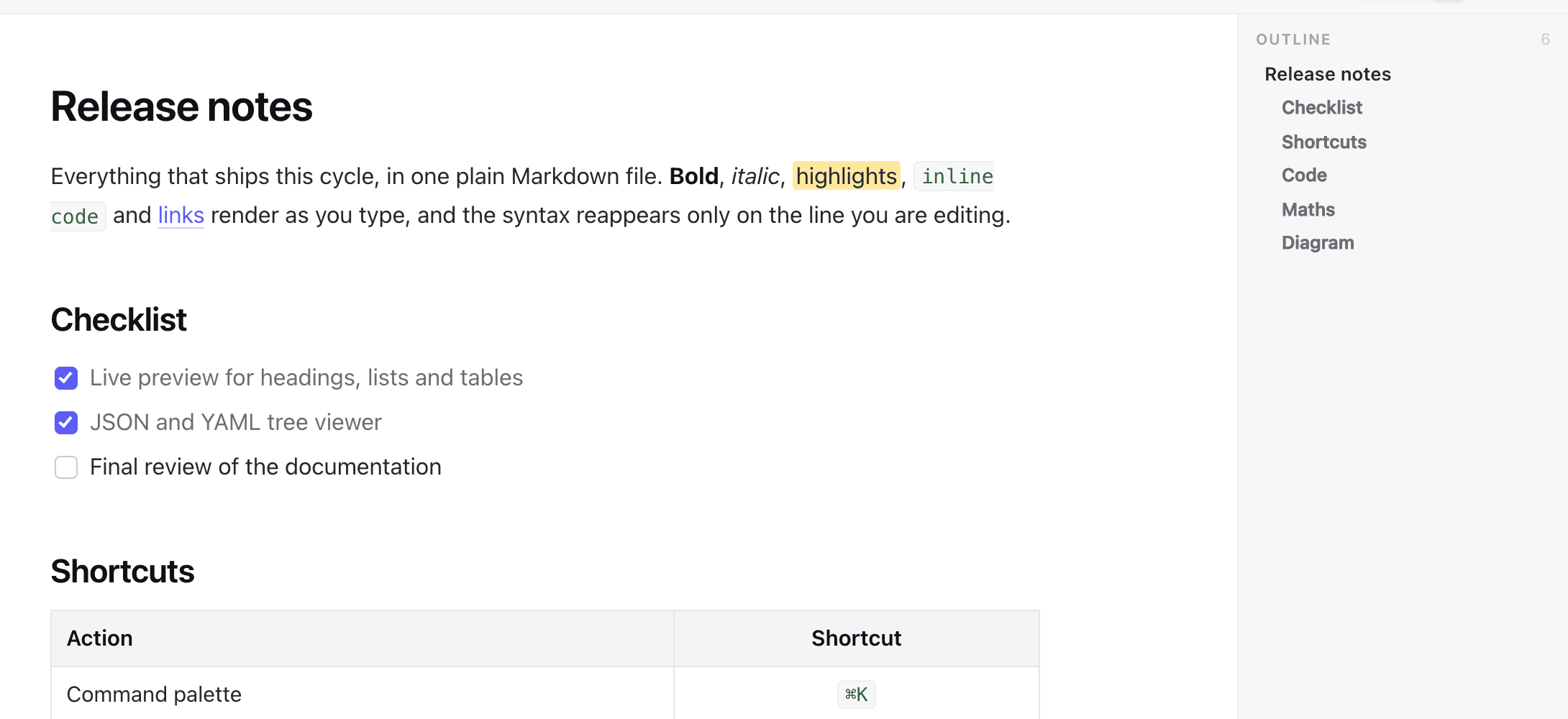
Reading view and outlineOption Command 3Option Command O
Read a document fully rendered, with its headings listed beside it. Focus mode and typewriter scrolling for long writing.
Your default Markdown app
One button in Settings makes MMDZ open every .md file, with separate ones for JSON and YAML.
Diagrams and maths
Mermaid flowcharts and KaTeX equations, written as plain text, render right in the document as you type.
MMDZ keyboard shortcuts
The main ones, by menu. Press Shift Command Slash in the app to see every one of them.
General
| Command palette | Command K |
|---|---|
| Quick Open, the file switcher | Command T |
| Settings | Command Comma |
| Show every keyboard shortcut | Shift Command Slash |
| Quit (asks about unsaved changes first) | Command Q |
File
| New file / new window | Command N/Shift Command N |
|---|---|
| Open file / open folder | Command O/Shift Command O |
| Save / Save As / Save All | Command S/Shift Command S/Option Command S |
| Command P | |
| Close tab / close window | Command W/Shift Command W |
| Compare two files | Option Shift Command D |
Edit
| Find / find and replace | Command F/Option Command F |
|---|---|
| Next / previous match (in a comparison: change) | Command G/Shift Command G |
| Find in folder | Shift Command F |
| Go to line | Control G |
| Paste as Markdown / paste and match style | Shift Command V/Option Shift Command V |
Format
| Bold, italic, inline code, highlight | Command BCommand ICommand EShift Command H |
|---|---|
| Insert link | Command L |
| Heading level 1 to 6 | Command 1toCommand 6 |
| Paragraph | Command 0 |
| Bullet, numbered and task list | Shift Command 8Shift Command 7Shift Command 9 |
| Quote, code block, table | Shift Command Full stopShift Command CShift Command T |
| Footnote | Shift Command 6 |
| Format JSON | Option Shift F |
View
| Live Preview / Source / Reading | Option Command 1/Option Command 2/Option Command 3 |
|---|---|
| Cycle through the views | Command Slash |
| Expand all / collapse all | Option Command Right bracket/Option Command Left bracket |
| Sidebar / outline | Option Command B/Option Command O |
| Line numbers | Option Command L |
| Focus mode | Shift Command D |
| Zoom in / out / actual size | Command Equals/Command Minus/Shift Command 0 |
Tools
| Vim mode | Option Command V |
|---|
Your files stay on your Mac
No account. No analytics. No telemetry.
Documents never leave your computer. The only connection MMDZ makes on its own is a check for updates, at most once a day, and you can switch it off in Settings → About → Updates. A document that links to images on the web loads those images, as any Markdown viewer does.
This website is a different matter: it asks for your email address before you download and keeps it in our CRM. The privacy policy says what we keep and why.
How to install MMDZ
Download it
Give us your email address, tick the box, and the 11.3 MB disk image downloads.
Drag it to Applications
Open the .dmg from your Downloads folder and drag MMDZ onto the Applications folder.
Open it
Open MMDZ from Applications or Launchpad. It is notarised by Apple, so macOS opens it without warnings.
Make it your default Markdown app
In MMDZ, open Settings → Files → Make MMDZ the default. Or select any .md file in Finder, press Command I, choose MMDZ under Open with and use the Change All… button. JSON and YAML have their own buttons in the same place.
Updates
Automatic, checked once a day, and MMDZ asks before installing. To check now, choose Check for Updates… in the MMDZ menu. To turn automatic checks off, go to Settings → About → Updates.
Uninstall
Quit MMDZ and move it from Applications to the Bin. Its settings live in ~/Library/Application Support/co.metamindz.mmdz/, which you can delete too.
Free, for every Mac
All it takes is your email address. No account, no trial, no card.
- Version
- 1.1.1
- Released
- 26 September 2026
- Size
- 11.3 MB
- Requires
- macOS 12 or later, Apple silicon and Intel
- Checksums
- SHA-256
MMDZ questions, answered
Something else? Email hello@metamindz.co.uk.
Is MMDZ really free?
Yes. There is no price, trial, subscription or in-app purchase, and no account to create. To download it, you give us your email address and accept the terms. That is all.
Why do you ask for my email address?
We email you the download link, which helps if you found MMDZ on your phone. If it is a work address, we may also send you the occasional email about MMDZ and other things we build, and one reply stops them. We do not send those to personal addresses such as Gmail or iCloud.
Which Macs does MMDZ run on?
Any Mac running macOS 12 Monterey or later. It is a universal app, so it runs natively on both Apple silicon and Intel Macs.
Is there a Windows or Linux version?
Not at the moment. MMDZ is macOS only.
Is MMDZ on the Mac App Store?
No. You download it from this page. It is signed with Metamindz Limited's Apple Developer ID and notarised by Apple, so macOS opens it without security warnings.
Does MMDZ change my files?
Only when you edit and save them. Documents stay plain text: live preview formats what you see on screen, not what is written to disk.
Does MMDZ send my documents anywhere?
No. MMDZ has no accounts, analytics or telemetry. The only automatic connection is the daily update check, which you can turn off. Documents that link to images on the web load those images, as any Markdown viewer does.
Can MMDZ open JSON with comments?
Yes. Comments and trailing commas are accepted, and a file with errors still shows everything that can be read.
Which file types can MMDZ open?
Markdown (.md, .markdown, .mdown, .mkd, .mdx), JSON (.json, .jsonc, .json5, .geojson, .topojson, .webmanifest) and YAML (.yaml, .yml) get their own views. Most other text and code files open with syntax highlighting for 143 languages.
Does MMDZ have Vim keybindings?
Yes, as an option. Vim mode is off by default; turn it on or off with ⌥⌘V.
How do I print a Markdown file or make a PDF?
⌘P prints the document on its own, without the app around it. File → Export as PDF… saves a paginated PDF directly, with no print dialog. Export as HTML saves a self-contained web page.
How do updates work?
MMDZ checks for updates once a day and asks before installing. Updates are cryptographically signed, and the app rejects anything not signed by Metamindz. You can switch automatic checks off in Settings → About → Updates.
Who makes MMDZ?
Metamindz Limited, a technology company in London, UK.
Made by Metamindz
Metamindz is a UK technical consultancy and software agency. We give startups and scale-ups flexible access to CTOs, technical leadership, recruitment and software development, and we give away tools like this one.