- Telegram
- WhatsApp(coming soon)
- ShmorCRM
- Attio
- HubSpot
Everyone you meet, in your CRM before you leave the room.
Send Shmor a screenshot, a business card, a voice note or a LinkedIn link on Telegram, or forward an email to in@emails.useshmor.com. It creates the person and company in ShmorCRM, its built-in micro-CRM, or in Attio or HubSpot, adds a note and a follow-up task, and asks about anything it could not work out. WhatsApp is coming soon.
14 days free, 25 captures, no card.

What is Shmor?
Shmor is a messaging bot by Metamindz that logs the people you meet into a CRM. You send it a LinkedIn or event-app screenshot, a photo of a business card, a voice note, a LinkedIn link or a line of text on Telegram, or forward an email to in@emails.useshmor.com. Shmor finds or creates the person and their company in ShmorCRM, its built-in micro-CRM, or in Attio or HubSpot, adds a note and a follow-up task, replies with what it saved, and asks about anything it could not work out, such as how you met. WhatsApp is coming soon.
- Who it is for
- Founders, consultants and salespeople who meet people at events, calls and intros
- Send from
- Telegram, or forward an email. WhatsApp is coming soon
- Where contacts go
- ShmorCRM, built in, or Attio or HubSpot: one CRM per account
- What it writes
- The person and company, a note, a follow-up task and, on Pro, a deal
- Price
- 14-day free trial with 25 captures and no card; then from £9 a month, excluding VAT
- Made by
- Metamindz, in the UK, under UK GDPR
How it works
Set up once. Then just send.
- 01
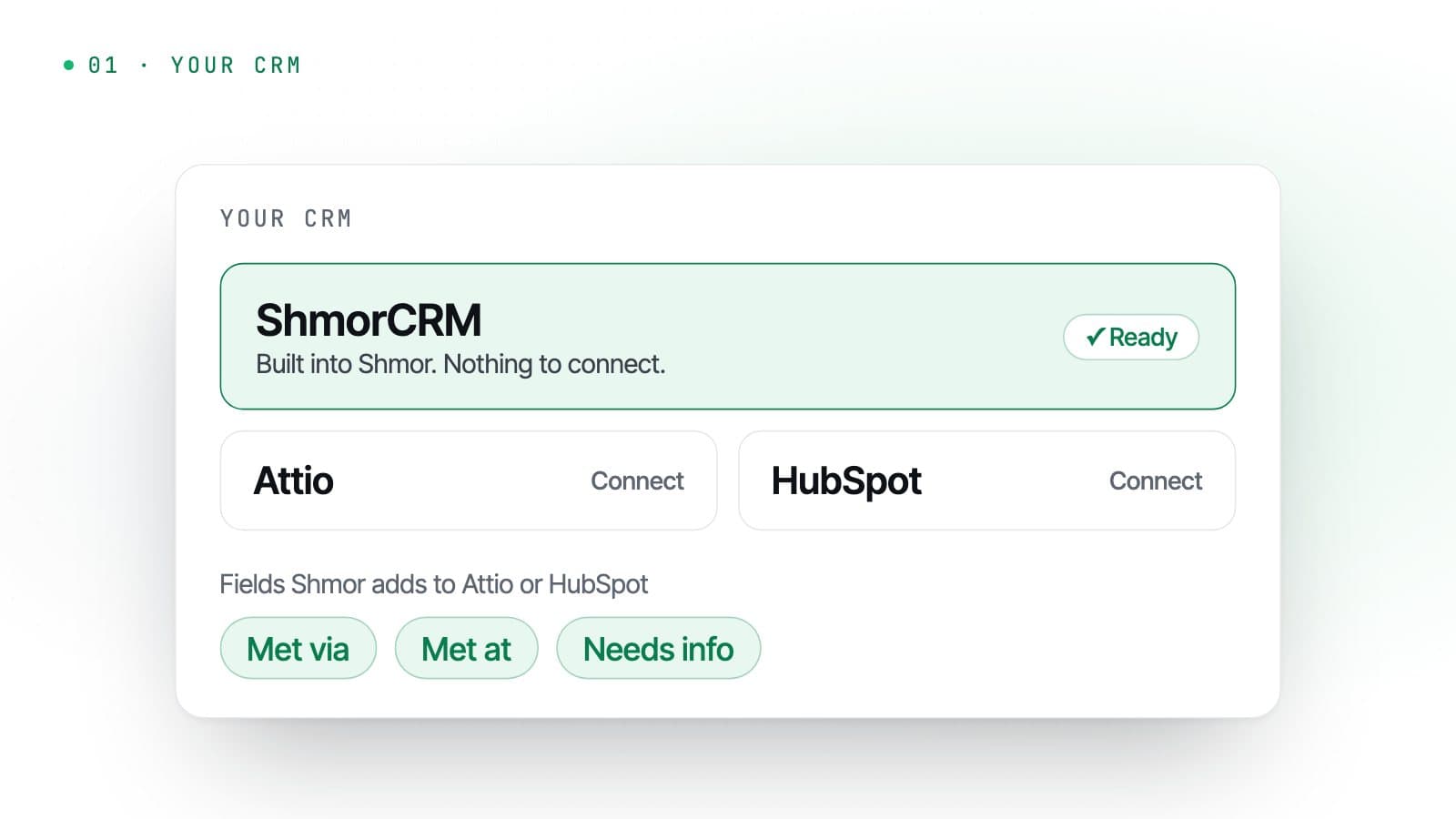
Start in ShmorCRM, or connect your CRM
New accounts start with ShmorCRM, a simple micro-CRM built into Shmor, so there is nothing to connect. When you are ready, connect Attio or HubSpot instead: Shmor adds the few fields it uses, such as how you met, and leaves the rest of your setup alone.
- 02
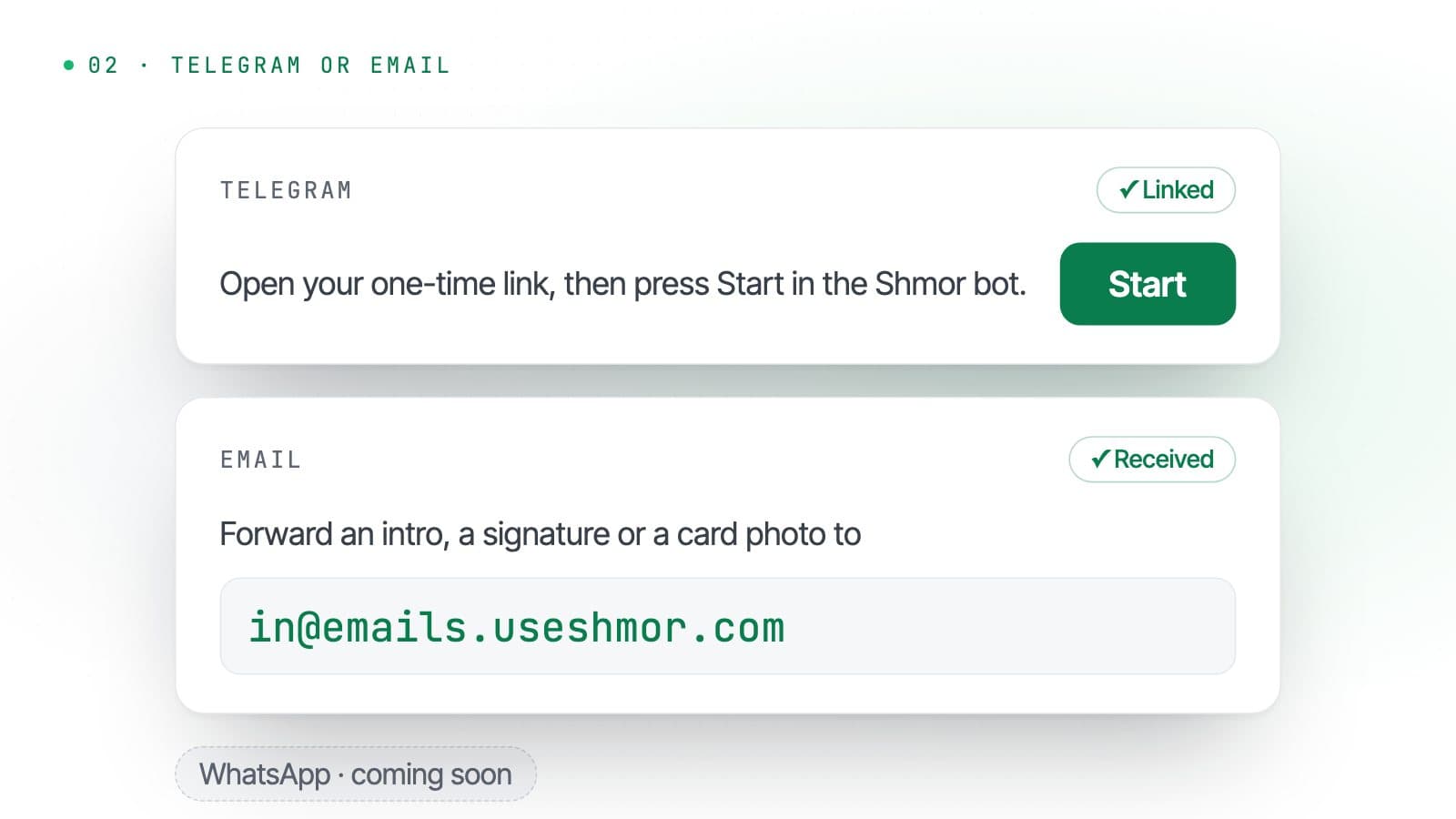
Link Telegram, or forward an email
Open a one-time link from your account and press Start in the Shmor bot. From then on, Shmor knows the messages from that account are yours. Or forward an email to in@emails.useshmor.com from your account email. WhatsApp is coming soon.
- 03
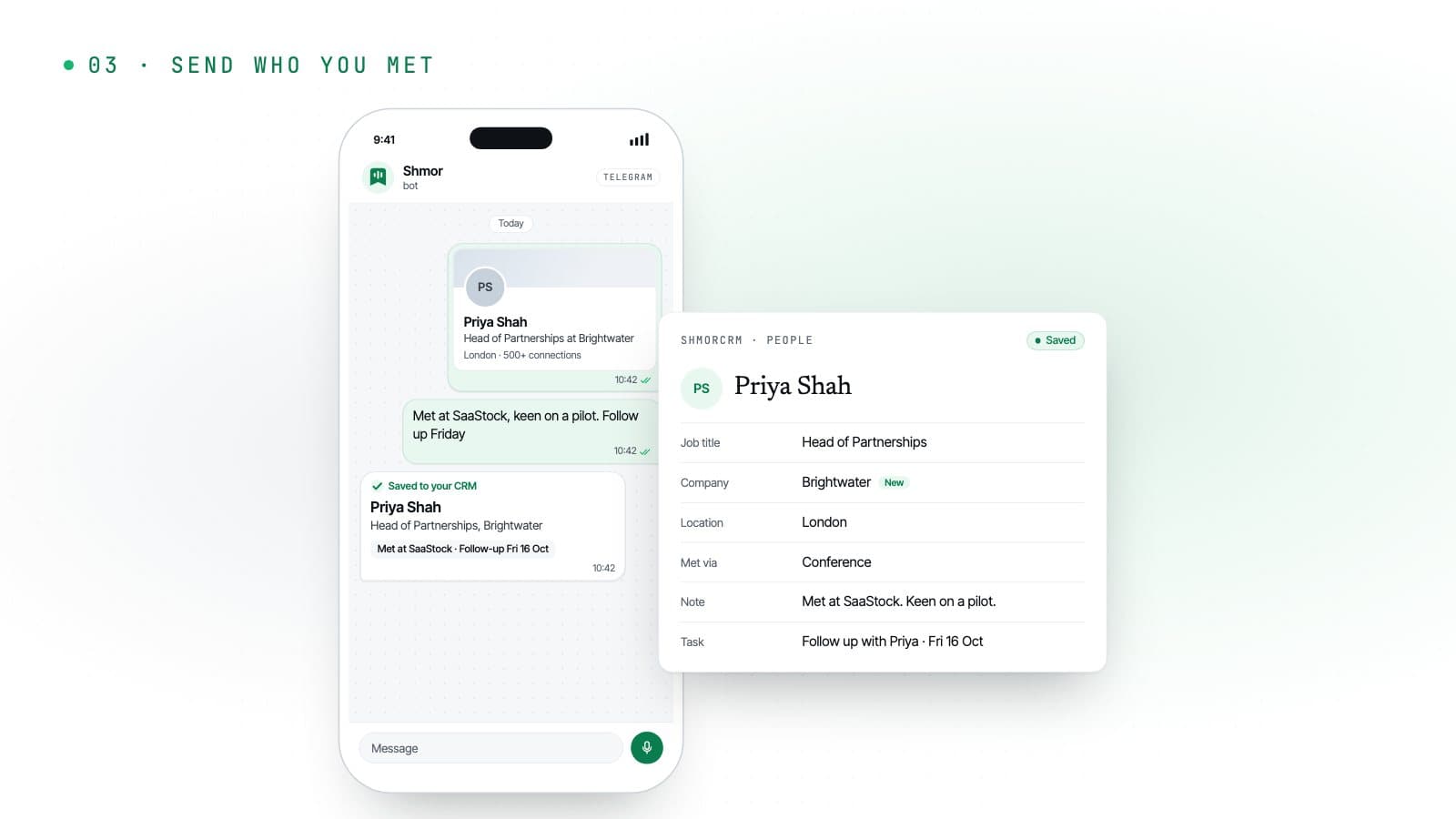
Send whoever you just met
A screenshot, a photo of their card, a voice note on the way out. Shmor replies with the contact it saved, sets the follow-up and asks about anything it could not work out.
Every step in detail, with what Shmor reads from each kind of message: how Shmor works.
What you can send
Whatever you have in your hand.
On their own or together. Send a screenshot, then reply to Shmor’s card with a voice note about the conversation, and both go on the same record.
Profile screenshot
LinkedIn, X or an event app. Shmor reads the name, title and company.
Business card
A quick photo. Name, role, company, email and phone number, straight into the record.
Forwarded email
Forward an intro, a LinkedIn notification or an email signature to in@emails.useshmor.com, with up to 5 attachments.
Voice note
Say where you met, what they need and when to follow up. Up to 2 minutes per capture.
LinkedIn link
Paste a profile link and Shmor looks it up with your own Apollo key.
A quick text
“Met Tom from Acme at the Leeds meetup, wants a quote, chase next week.”
After the capture
The follow-up is already in your CRM.
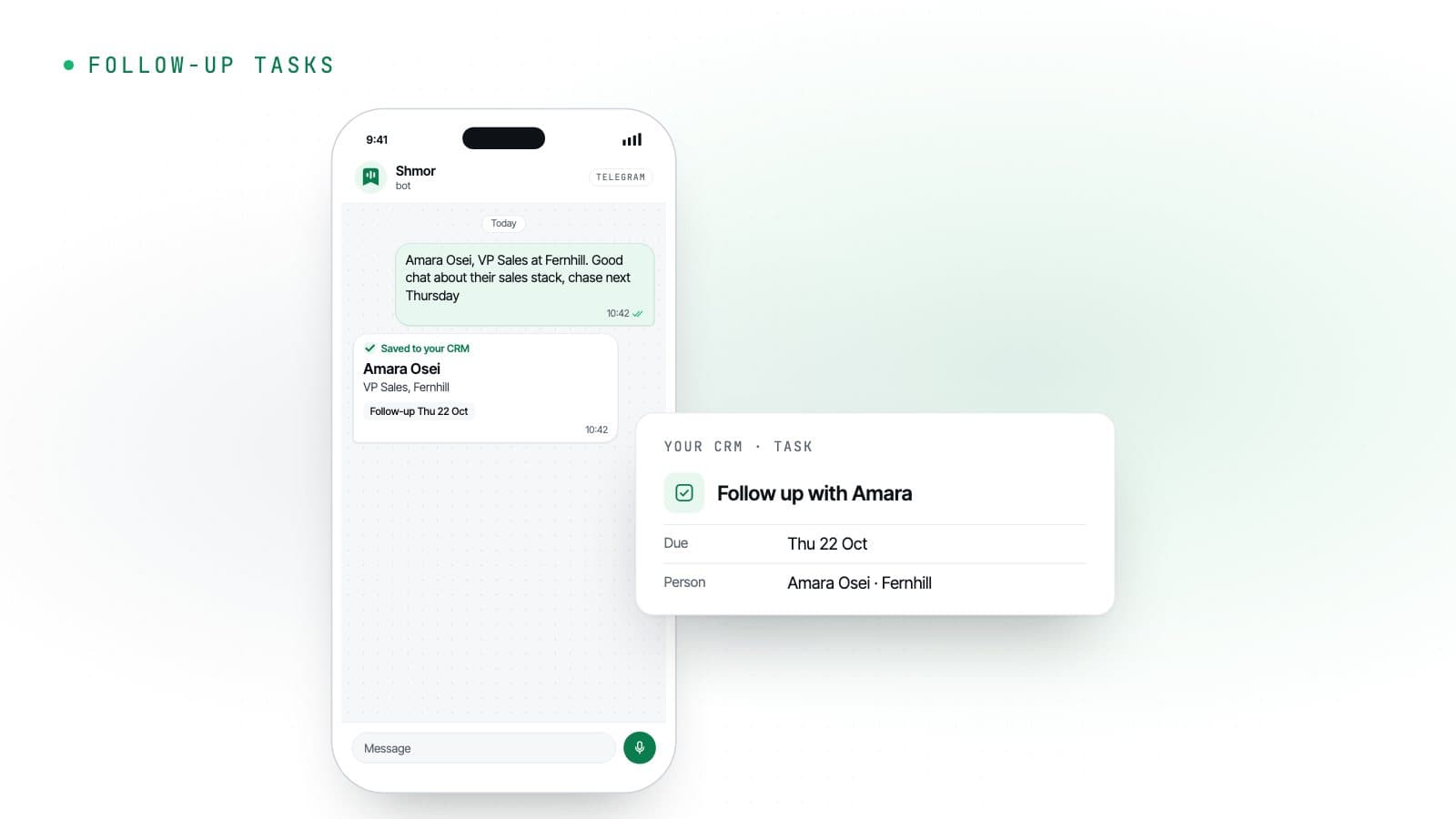
Every capture can leave a task behind, so the people you meet do not go cold. On Pro, the ones that sound like business become deals.
Follow-ups that set themselves
“Chase next Thursday” becomes a task due next Thursday, on the person in your CRM. With no date, it is due after your default number of days, skipping weekends if you prefer.
- Due dates from your words
- Default days
- Skip weekends
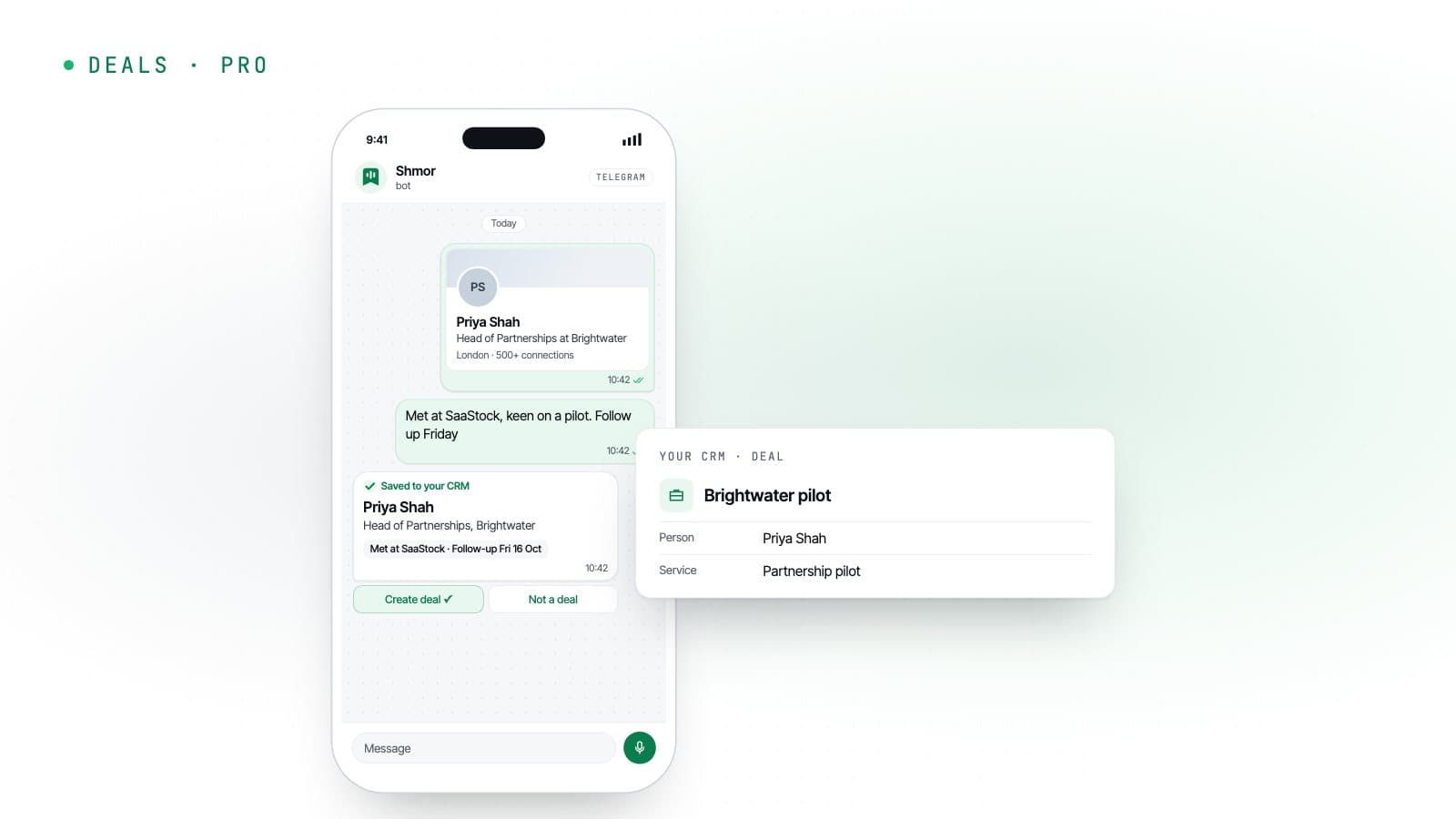
Deals in one tap
When a conversation sounds like an opportunity, tap Create deal on Shmor’s reply and the deal is added with the person and the service it is about.
- Pro
- Create deal
- Your services
Works with
Your CRM, from the apps you already have open.
Your CRM
- ShmorCRM
- Attio
- HubSpot
One per account. Start in ShmorCRM, built in, then connect Attio or HubSpot when you are ready.
About ShmorCRMHow you send
- Telegram
- WhatsApp(coming soon)
Telegram and email today. WhatsApp is coming soon.
Shmor on TelegramOptional: paste a LinkedIn profile link and Shmor looks it up with your own Apollo key.
Names are trademarks of their owners; Shmor is not affiliated with or endorsed by them.
Your contacts, kept where you choose.
With Attio or HubSpot connected, Shmor passes each contact through to your CRM and keeps only what it needs to do its job. With ShmorCRM, Shmor stores your contacts for you until you delete them.
- With Attio or HubSpot, Shmor keeps record IDs, message IDs, counts and timestamps, not your contacts
- In ShmorCRM, text only: never your photos or voice notes. Export or delete records at any time, or auto-delete them after 6, 12 or 24 months
- CRM sign-ins are encrypted at rest; an Apollo key cannot be read back, even by you
- Built and run in the UK, under UK GDPR
What Shmor stores, for how long and with which providers: security at Shmor.
Pricing
From £9 a month.
14 days and 25 captures free, no card. Prices exclude VAT.
Free trial
£0
14 days, 25 captures
Every account starts here, with ShmorCRM built in (up to 500 records) or Attio or HubSpot connected. No card needed.
Start free trialSolo
£9a month
or £90 a year. Plus VAT.
For founders and networkers who meet people every week.
100 captures a month
- Telegram and email (WhatsApp coming soon)
- Attio or HubSpot, included
- Screenshots, business cards, voice notes, LinkedIn links
- Follow-up tasks and notes
- Bring your own Apollo key
- ShmorCRM built in, up to 500 records
ProRecommended
£19a month
or £190 a year. Plus VAT.
For consultants and dealmakers living at events.
300 captures a month
- Everything in Solo
- Deal creation with your services
- Custom field mapping
- Priority support
- ShmorCRM built in, up to 5,000 records
One capture is one message with up to one image, or one forwarded email with up to 5 attachments, and up to 2 minutes of audio, plus up to 3 follow-up replies about that contact. Need more in a busy month? 50 extra captures cost £5, on paid plans. Prices in pounds sterling, excluding VAT, which is added at checkout where it applies. Yearly billing costs the same as 10 months. ShmorCRM records are people, companies and deals; notes and tasks do not count. As listed on www.useshmor.com on 26 October 2026; the current prices are always on its pricing page.
FAQ
Questions about Shmor
More answers, on billing too, in Shmor’s FAQ.
Which CRMs and chat apps does Shmor work with?
ShmorCRM, the micro-CRM built into Shmor, or Attio or HubSpot: one CRM per account. New accounts start on ShmorCRM, so you can begin without any CRM and connect Attio or HubSpot when you are ready. You send captures from Telegram (link it once from your account and Shmor knows the messages are yours) or by forwarding an email to in@emails.useshmor.com. WhatsApp is coming soon.
What is ShmorCRM?
A simple micro-CRM built into Shmor, for people, companies, deals, tasks and notes, with nothing to connect. Every new account starts on it, so it is a good place to begin or to try Shmor out. When you are ready, connect Attio or HubSpot instead. The two never sync, so export your ShmorCRM records as CSV to take them with you. It holds up to 500 records during the trial, 500 on Solo and 5,000 on Pro, counting people, companies and deals (notes and tasks do not count).
Does Shmor store my contacts?
Only if you use ShmorCRM. With Attio or HubSpot connected, Shmor passes each contact through to your CRM and keeps only what it needs to run: record IDs, message IDs, counts and timestamps. With ShmorCRM, Shmor stores your contacts for you, with the text of the message, email or voice transcript behind each one (never photos or audio), until you delete them. You can export them as CSV, delete them all at once, or have records with no update for 6, 12 or 24 months deleted automatically.
Can I forward emails to Shmor?
Yes. Forward it to in@emails.useshmor.com: an introduction, a LinkedIn notification or an email with a signature, with up to 5 attachments, and Shmor saves the person and replies in the same thread. Shmor knows it is you from the address you forward from, so it only accepts mail from your account email or other addresses you have confirmed, and ignores everything else. If your mailbox fails the anti-spoofing checks, use the private address on your Channels page instead.
What happens when Shmor cannot work something out?
It asks. If it does not know how you met or when to follow up, the reply comes with buttons to choose from, and you can answer later by replying to the card. Send /pending to see every contact that still needs something.
Will Shmor create duplicates in my CRM?
It tries hard not to. Companies are matched by web domain and then by name. People are matched by email, then LinkedIn URL, then name and company. If a match is found, Shmor updates that record instead of creating a new one.
Can I send a LinkedIn link instead of a screenshot?
Yes, if you add your own Apollo API key in Settings. Shmor then looks up the profile (name, title, company and work email) using your Apollo credits. Without a key, send a screenshot of the profile instead.
What counts as a capture?
One message with up to one image (or one forwarded email with up to 5 attachments) and up to 2 minutes of audio, plus up to 3 follow-up replies about that contact. Longer voice notes and further replies use extra captures.
Is there a free trial?
Yes. 14 days and 25 captures, with no card. Connect your CRM, link a chat app and send your first capture in a few minutes.
Can my whole team use one account?
Not yet. Solo and Pro are for one person with one CRM connection. Each person who wants to capture contacts needs their own account.
Try it at your next event.
14 days and 25 captures free, no card. Three steps and you are capturing contacts.
Shmor, by Metamindz
Metamindz is a UK technical consultancy and software agency. We give startups and scale-ups flexible access to CTOs, technical leadership, recruitment and software development, and we make products of our own under the Metamindz Studio name, Shmor among them.