
The CTO's Guide to Auditing AI-Generated Code Before It Ships

The CTO's Guide to Auditing AI-Generated Code Before It Ships
An AI-generated code security audit is a structured, multi-layered review process that checks AI-written code for vulnerabilities, hallucinated dependencies, exposed secrets, and architectural weaknesses before it reaches production - because automated tools alone catch less than half of AI-specific flaws.
So.. 92% of AI-built applications now have critical security vulnerabilities, according to a 2026 security report that audited 50 AI-built apps. Thirty-five new CVE entries were disclosed in March 2026 alone - all directly caused by AI-generated code - up from six in January. And a scan of 5,600 publicly deployed vibe-coded applications found over 2,000 highly critical vulnerabilities and 400 exposed secrets.
I've been doing code audits for over 15 years, and the volume of AI-generated code hitting production right now without proper review is genuinely alarming. Not because AI is bad at writing code - it's actually decent at the mechanical bits. The problem is that nobody is checking the output with the same rigour they'd apply to a junior developer's first pull request. And AI-generated code, statistically, needs MORE review, not less.
This guide is the practical checklist I use when auditing AI-generated codebases for our fractional CTO clients and during technical due diligence engagements. It covers the nine areas where AI code consistently fails, the tools that actually work in 2026, and the CI/CD gates every team should have in place.
Why AI-Generated Code Needs a Different Kind of Review
AI-generated code produces vulnerabilities at 2.74x the rate of human-written code, according to Veracode's GenAI Code Security Report which tested more than 100 LLMs across four programming languages. Apiiro found that AI-generated code creates 322% more escalation paths than human-written code. These aren't theoretical risks. They're measured, documented, and getting worse as adoption grows.
The core issue: AI tools optimise for "does it work?" not "is it secure?" They'll happily generate code that passes functional tests while storing API keys in plaintext, skipping input validation, or pulling in hallucinated npm packages that don't exist on any legitimate registry. 78% of AI-built applications in one audit stored secrets in plaintext. That's not a bug - it's a pattern.
Traditional code review catches some of this, but not reliably. AI code looks clean. It's well-formatted, properly commented, and follows naming conventions. The dangerous bits are structural - missing authorisation checks, insecure defaults, hallucinated dependencies - and they require a different kind of scrutiny.
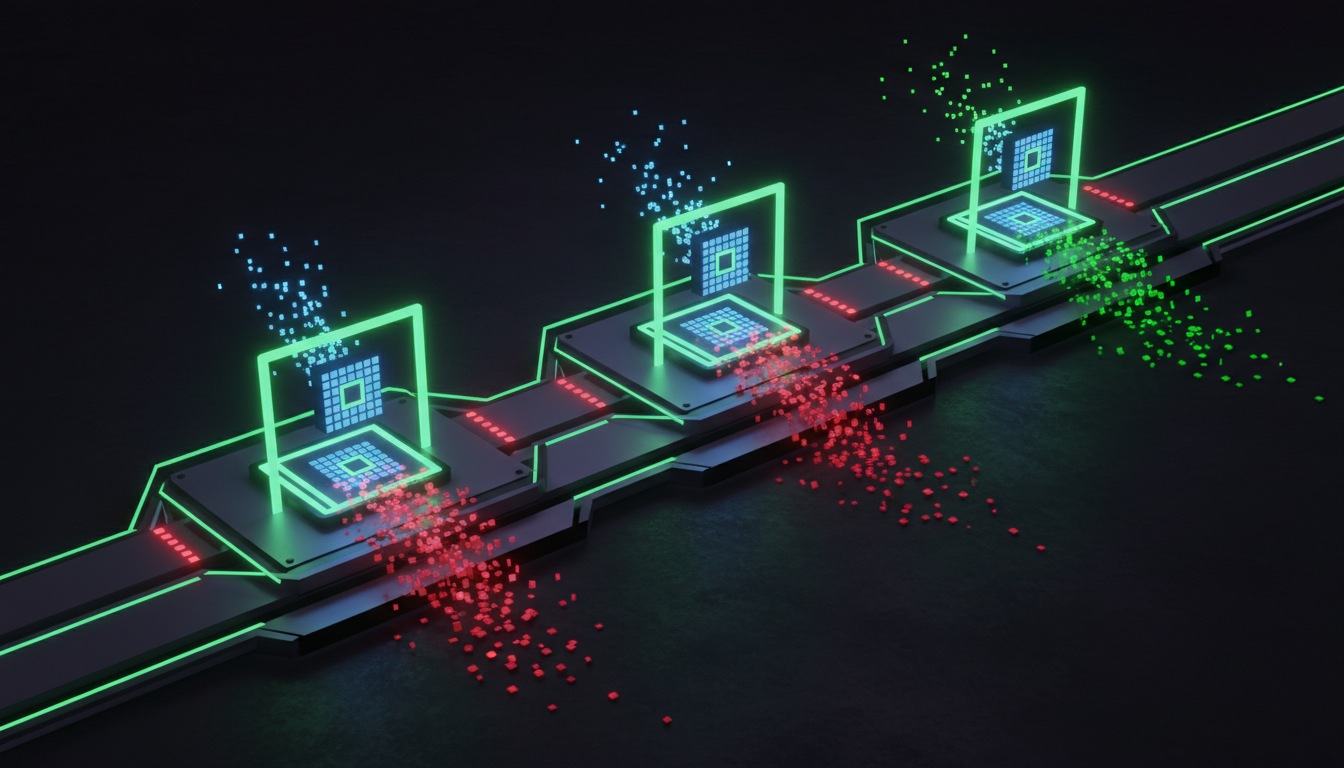
The 9 Areas Where AI Code Consistently Fails
Based on hundreds of code reviews I've done across Metamindz's AI adoption and software development engagements, here's where AI-generated code breaks down. Every one of these has caused a real incident for a real client.
1. Hallucinated Dependencies
AI models invent package names that don't exist. Sometimes these packages get typosquatted by attackers. Your audit should verify every dependency in package.json, requirements.txt, or Gemfile against the actual registry. Run npm audit, pip-audit, or bundler-audit and manually check any package with fewer than 1,000 weekly downloads.
2. Hardcoded Secrets
AI loves to generate code with placeholder API keys, database URLs, and auth tokens baked directly into the source. Check the entire git history, not just the current state. Tools like TruffleHog and Gitleaks scan commit history for entropy patterns that indicate leaked secrets.
3. Broken Authentication Flows
AI frequently generates auth that "works" but skips critical details: no rate limiting on login endpoints, tokens that never expire, password reset flows without proper verification, sessions that persist after logout. The Lovable incident in April 2026 is the textbook example - a BOLA vulnerability left open for 48 days exposed source code, database credentials, and AI chat histories for every project built before November 2025. The root cause? Missing ownership validation on API endpoints. The kind of thing AI generates by default.
4. Missing Input Validation
SQL injection. XSS. Path traversal. AI code often accepts user input without sanitisation, especially when generating API endpoints or form handlers. Check every endpoint that accepts external input. Verify parameterised queries on all database calls. Test for basic injection vectors.
5. Insecure API Authorisation
Authentication (who you are) is different from authorisation (what you can access). AI code typically handles the first and ignores the second. Endpoints that should be admin-only are accessible to any authenticated user. Resources belonging to User A can be fetched by User B. This is BOLA again - the most common vulnerability class in AI-generated APIs.
6. Poor Error Handling and Information Leakage
AI-generated error handlers frequently expose stack traces, database schemas, internal paths, and environment variables to end users. Every error response should be checked: does it reveal anything useful to an attacker?
7. Weak Session Management
Sessions that don't expire, cookies without secure/httpOnly flags, CSRF tokens that are generated but never validated. AI gets the structure right but misses the security attributes.
8. Insecure Default Configurations
CORS set to allow all origins. Debug mode left on in production. Database connections without SSL. Docker containers running as root. AI generates what works in development and doesn't adjust for production.
9. Missing Logging and Audit Trails
When something goes wrong - and it will - you need to know what happened. AI-generated code rarely includes proper security event logging. Failed login attempts, permission changes, data exports, admin actions - these need to be logged and monitored.
The Practical Audit Checklist
Here's the checklist I run through on every AI-generated codebase. It's structured as a pass/fail matrix across the nine areas above. I use this during tech DD, vibe-code fix engagements, and when onboarding new fractional CTO clients.
| Area | Check | Tools | Severity |
|---|---|---|---|
| Dependencies | All packages exist on legitimate registries | npm audit, pip-audit, Socket.dev | Critical |
| Dependencies | No known CVEs in dependency tree | Snyk, Dependabot, npm audit | Critical |
| Secrets | No hardcoded secrets in code or git history | TruffleHog, Gitleaks, git-secrets | Critical |
| Secrets | Environment variables used for all credentials | Manual review | High |
| Auth | Rate limiting on login/signup/reset endpoints | Manual testing, OWASP ZAP | High |
| Auth | Tokens expire and refresh correctly | Manual testing | High |
| Auth | Password hashing uses bcrypt/argon2 with proper rounds | Code review | Critical |
| Authorisation | Every endpoint checks resource ownership (no BOLA) | Manual review, Semgrep rules | Critical |
| Input | Parameterised queries on all DB calls | Semgrep, CodeQL | Critical |
| Input | Input sanitised before rendering (XSS prevention) | Semgrep, SAST scan | High |
| Errors | No stack traces or internal paths in error responses | Manual testing, DAST scan | Medium |
| Sessions | Secure, HttpOnly, SameSite flags on cookies | Browser DevTools, OWASP ZAP | High |
| Config | CORS restricted to specific origins | Manual review | High |
| Config | Debug mode off, production configs applied | Manual review | Medium |
| Logging | Security events logged (failed logins, permission changes) | Code review | Medium |

The Tools That Actually Work in 2026
The security tooling landscape has matured significantly for AI-generated code. Here's what I recommend to clients based on team size and budget.
| Tool | What It Does | Best For | Cost |
|---|---|---|---|
| Semgrep | Custom SAST rules, AI-assisted triage (97% agreement with human decisions) | Teams who want custom rules for AI patterns | Free tier + paid |
| Snyk | SCA + SAST + container scanning with auto-fix suggestions | Developer-first workflows, dependency scanning | Free tier + paid |
| TruffleHog | Deep secrets scanning across git history | Finding leaked secrets in commits | Free (OSS) |
| Gitleaks | Git secrets detection in CI/CD | Pre-commit and CI pipeline gates | Free (OSS) |
| OWASP ZAP | DAST - dynamic testing of running applications | Testing auth flows and API endpoints | Free (OSS) |
| Aikido Security | All-in-one DevSecOps: SAST, SCA, container, malware | Small teams wanting a single platform | Paid |
| Socket.dev | Supply chain security - detects suspicious packages | Catching hallucinated/malicious dependencies | Free tier + paid |
My recommendation for most startups: start with Semgrep (free tier) for SAST custom rules, Snyk (free tier) for dependency scanning, and Gitleaks in your CI pipeline for secrets detection. That combination covers 80% of AI-specific vulnerabilities at zero cost. As you scale, consider Aikido for a unified platform or Checkmarx for enterprise compliance needs.
Setting Up CI/CD Security Gates
Tools are useless if they're not in the pipeline. Here's the minimum set of automated gates every team shipping AI-generated code should have:
Gate 1: Pre-Commit (Developer Machine)
Run Gitleaks as a pre-commit hook. Catches secrets before they enter git history. Takes under 2 seconds per commit. This alone would have prevented 78% of the plaintext secrets found in the 50-app audit.
Gate 2: Pull Request (CI Pipeline)
Run Semgrep with rules targeting AI-specific patterns: hallucinated imports, insecure auth defaults, missing input validation. Block merge on critical findings. Let medium findings through with a warning. The key here is starting with a small, high-confidence ruleset - maybe 15-20 rules - and expanding gradually. Too many false positives and your team will start ignoring the alerts entirely.
Gate 3: Pre-Deploy (Staging)
Run OWASP ZAP against your staging environment. Dynamic testing catches runtime issues that static analysis misses - broken CORS, exposed debug endpoints, auth bypasses. This is where you catch the Lovable-style BOLA vulnerabilities.
Gate 4: Post-Deploy (Production Monitoring)
Runtime application security monitoring (RASP) or at minimum, security-focused logging and alerting. If an attacker finds something your three previous gates missed, you need to know within minutes, not weeks.
What a CTO-Led Audit Catches That Tools Miss
Automated tools are essential but they're not sufficient. Here's what a hands-on CTO review adds on top of automated scanning - and why it matters, especially during technical due diligence or before a funding round.
| What to Check | Automated Tools Alone | CTO-Led Review (Metamindz Approach) |
|---|---|---|
| Architecture security | Can't assess - tools scan files, not systems | Reviews data flow, trust boundaries, attack surface |
| Business logic flaws | Misses entirely - can't understand intent | Verifies authorisation matches business rules |
| AI-specific debt patterns | Catches known patterns only | Identifies structural over-reliance on AI defaults |
| Dependency risk assessment | Flags known CVEs | Evaluates maintainer health, bus factor, licence risk |
| Production readiness | Binary pass/fail | Contextual: what's acceptable for stage vs what's a blocker |
| Team capability assessment | N/A | Can the team maintain this codebase? Do they understand what AI generated? |
I've seen codebases that pass every automated scan but have fundamental architecture problems - like a SaaS app where AI generated a separate database per tenant because that's what the prompt implied, and nobody questioned whether that was the right multi-tenancy approach. No SAST tool will catch that. A CTO will catch it in 10 minutes.
This is exactly why our AI adoption service exists - to help engineering teams use AI tools properly with structured oversight, not to ban them. And why our vibe-code fixes service is one of the fastest-growing things we do. The code is already written. Someone just needs to make it production-grade.
Lessons from Real Incidents
Three incidents from the past 90 days that illustrate why this matters:
Lovable (April 2026): The $6.6 billion vibe coding platform had a BOLA vulnerability that exposed every project built before November 2025. Source code, database credentials, AI chat histories - all accessible to anyone with a free account and a project link. The fix was trivial: add ownership validation to API endpoints. The kind of check that should have been in the original security review. Multiple researchers reported it through HackerOne and the reports were closed without escalation. 48 days exposed.
The CVE Surge (March 2026): Georgia Tech's Vibe Security Radar tracked 35 new CVEs directly caused by AI-generated code in a single month. Researchers estimate the true count is 5-10x higher across the broader open-source ecosystem. This is an exponential trend - six in January, fifteen in February, thirty-five in March.
The 5,600 App Scan: Security researchers scanned nearly 5,600 publicly deployed vibe-coded applications and found 2,000 highly critical vulnerabilities, 400 exposed secrets, and 175 instances of exposed PII including medical records and payment data. 25% of Y Combinator's Winter 2025 cohort had codebases that were 95% AI-generated.
Frequently Asked Questions
How often should I audit AI-generated code?
Every pull request should go through automated security gates (SAST, SCA, secrets scanning). A comprehensive manual audit by a senior engineer or CTO should happen quarterly at minimum, and always before a funding round, acquisition, or major launch. For teams shipping daily with heavy AI tool usage, monthly manual reviews of the highest-risk areas are worth the investment.
Can I rely on AI tools to review AI-generated code?
Partially. Tools like Semgrep Assistant achieve 97% agreement with human triage decisions for known vulnerability patterns. But they fundamentally cannot assess architecture decisions, business logic flaws, or whether the generated code actually matches the intended system design. Use AI tools as a first pass to reduce noise, then have a human review what matters. Never skip the human layer entirely.
What's the minimum security tooling a startup needs for AI-generated code?
Three free tools cover 80% of AI-specific risks: Gitleaks as a pre-commit hook for secrets detection, Semgrep in your CI pipeline for SAST with custom AI-pattern rules, and Snyk's free tier for dependency vulnerability scanning. Total cost: zero. Total setup time: under two hours. There's no excuse for shipping AI-generated code without at least these three gates.
Is AI-generated code safe for authentication and payment systems?
No - not without extensive manual review and testing. Authentication, payment processing, and data handling are high-risk areas where AI-generated code should be treated as a first draft, never a final implementation. At Metamindz, we explicitly prohibit unsupervised AI code generation in auth, payments, and PII handling. These areas require human expertise, not speed.
How do I convince my team to add security gates when they slow down shipping?
Show them the Lovable incident: a trivial BOLA fix versus 48 days of exposed credentials and source code for a $6.6 billion company. The three free tools I recommend add under 3 minutes to a typical CI pipeline. That's 3 minutes versus the average 287 days to identify and contain a data breach, which costs $4.45 million on average according to IBM's 2023 Cost of a Data Breach Report. The maths is not close.