
Failover vs. Disaster Recovery: Key Differences
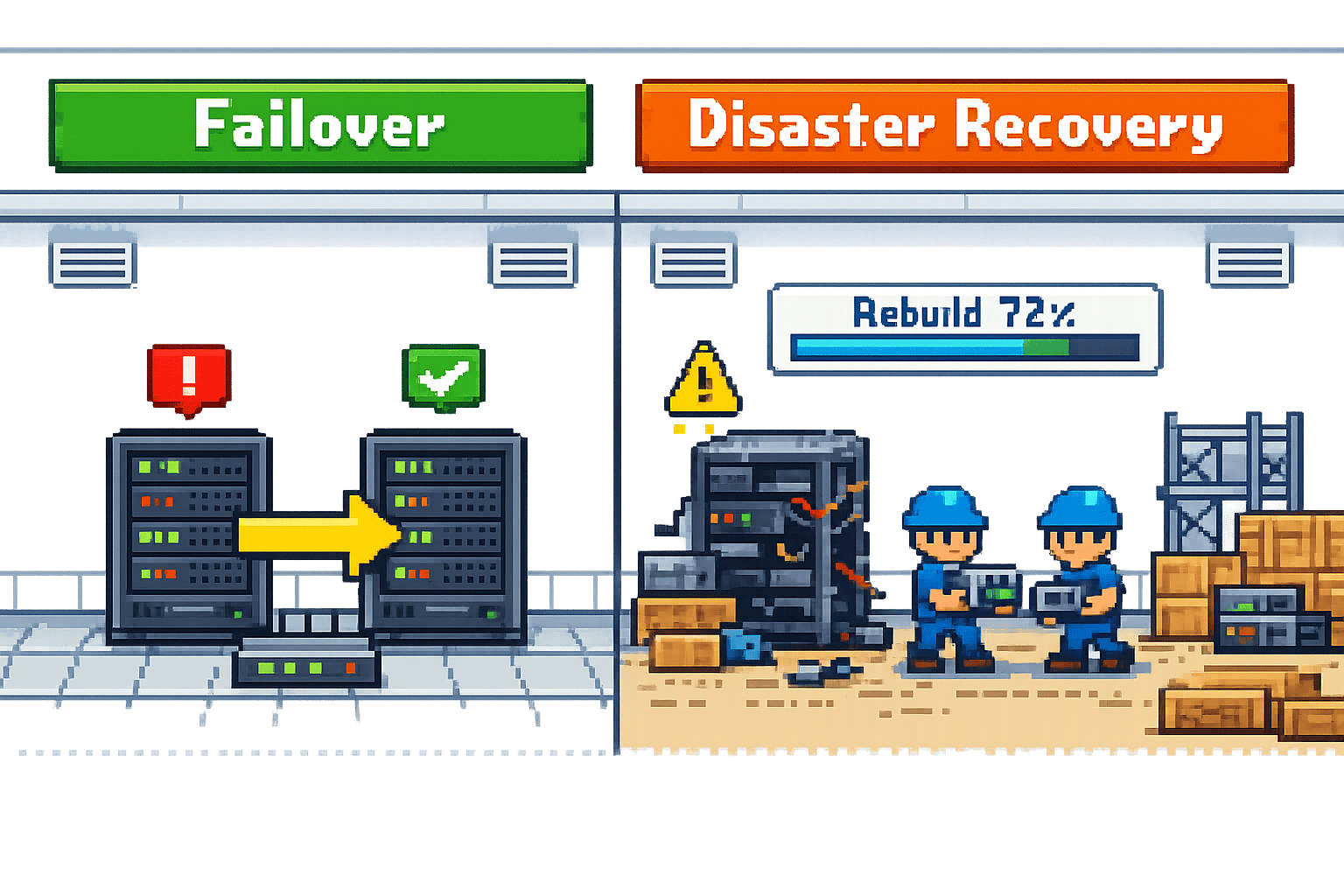
Failover vs. Disaster Recovery: Key Differences
Failover and disaster recovery are two approaches businesses use to handle IT disruptions, but they serve different purposes. Here's the gist:
- Failover is your quick reaction system. It automatically switches to a backup when something fails, like a server crash or a network outage, so everything keeps running smoothly. Think of it as your spare tyre - instant and automatic, but only for short-term issues.
- Disaster recovery is for the big stuff - floods, ransomware attacks, or data centre meltdowns. It's a plan to rebuild and restore everything after a major catastrophe. It takes longer and involves backups, recovery sites, and detailed strategies.
Why Care?
Downtime costs can be brutal - small businesses lose £100-£310 per minute, while larger ones can bleed over £220,000 an hour. Failover keeps things ticking during minor glitches, while disaster recovery saves the day when everything goes sideways. Combine both for a solid safety net.
Quick Comparison
| Feature | Failover | Disaster Recovery |
|---|---|---|
| Purpose | Immediate continuity | Full system restoration |
| Response Time | Seconds to minutes | Hours to days |
| Scope | Specific systems or networks | Entire IT environments |
| Activation | Automatic | Manual or semi-automated |
| Complexity | Simpler | More detailed and strategic |
Takeaway: Use failover to avoid immediate disruption and disaster recovery for long-term recovery. Together, they protect your business from IT chaos.
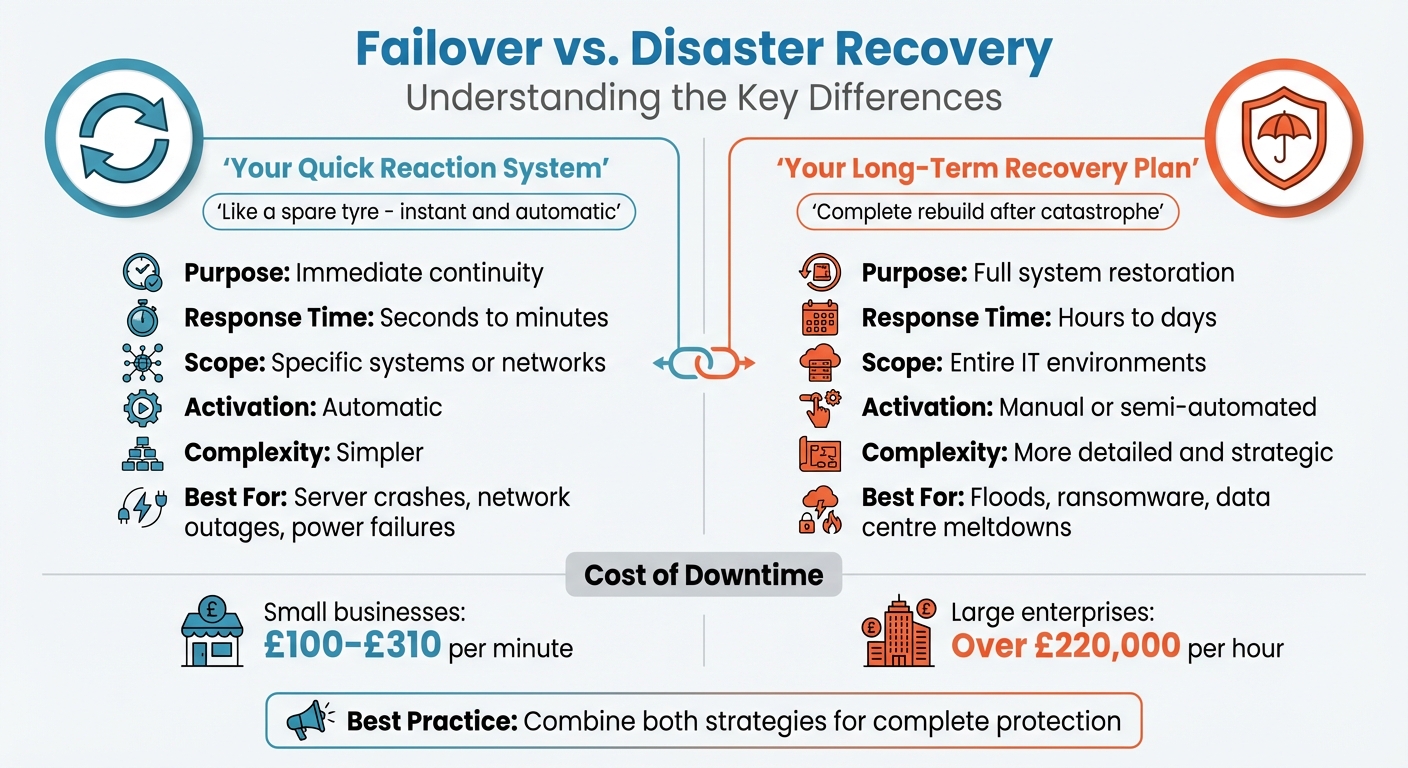
Failover vs Disaster Recovery: Key Differences Comparison Chart
What is Failover?
Definition and Purpose
Failover is an automated system designed to take over operations when the primary setup encounters a failure. Think of it as a safety net that steps in during hardware malfunctions, software glitches, or even power outages. Its main goal? To keep things running smoothly without interruptions [1][3].
What makes failover stand out is its speed. The switch from the main system to a backup happens so quickly that, in most cases, users remain blissfully unaware of any problem. Gregory Crosley, Product Manager for Data Storage and Protection at Macquarie Cloud Services, sums it up perfectly:
"Failover is like a spare tyre. When you get a flat tyre, you switch to the spare and keep going... it helps preserve business continuity while IT fixes the problem" [8].
Failover is designed to handle specific, localised issues - like a server or network link going down - without the need to rebuild or replace your entire infrastructure. This ensures that operations continue while the underlying issue is resolved [1].
Key Characteristics
The defining feature of failover is its speed. Depending on how the system is set up, the switchover can happen in as little as a fraction of a second or up to a few seconds. This kind of responsiveness is essential for keeping customers satisfied and employees productive [6].
The magic behind this speed lies in redundancy and constant monitoring. Systems use "heartbeat" signals or regular health checks to ensure everything is functioning as it should. The moment the primary system stops responding, failover kicks in automatically - no need for someone to scramble and flip a switch manually [1][3]. In fact, modern setups can check system health every 10 seconds, ensuring issues are caught and addressed before they cause noticeable disruptions [7].
Failover is targeted and precise. It focuses on specific components like servers, databases, or network connections rather than the entire data centre. It's also distinct from load balancing. While load balancing distributes traffic across multiple systems to prevent overload, failover involves a complete switchover to a backup system when something fails [5].
These features are critical for keeping businesses running and minimising downtime during technical hiccups.
Examples of Failover in Action
Failover isn't just a theoretical concept - it’s actively used in many IT environments to solve real-world problems.
- Cloud Infrastructure: Services like AWS Elastic Disaster Recovery automatically launch backup instances if the primary environment crashes. This ensures applications keep running without any manual effort, even when servers fail [6].
- Network Connectivity: Many businesses now rely on cellular backups, like 4G or 5G connections, that kick in when the main fibre line is disrupted. This "always-on" approach ensures internet access remains intact, even during infrastructure failures [3].
- Database Replication: Secondary database instances run alongside the primary one, constantly syncing data. If the primary database goes offline, the backup takes over immediately, preventing data loss and keeping applications functional [6].
- Server Clustering: In clustered setups, multiple nodes share the workload. If one node fails, another seamlessly picks up the slack, ensuring users never notice a thing [3].
These practical examples highlight how failover keeps operations steady, even when unexpected issues arise. It’s all about ensuring continuity and avoiding disruptions.
sbb-itb-fe42743
What is Disaster Recovery?
Definition and Purpose
Disaster recovery (DR) is all about getting a business back on its feet after a major IT meltdown. Unlike failover, which is more like a quick fix to keep things running during smaller hiccups, DR is the big plan for rebuilding after something catastrophic - think natural disasters, ransomware attacks, or a full-scale data centre collapse.
As Kimberly Sack from Cutover puts it:
"The objective of IT disaster recovery is to get a business to resume normal operations including getting IT systems fully back up and functional after an outage." [6]
Gregory Crosley, Product Manager for Data Storage and Protection at Macquarie Cloud Services, describes it as a broad strategy that keeps systems running with minimal downtime and includes a backup and recovery plan for when the worst happens [2].
So, what makes a disaster recovery plan work? Let’s break it down.
Key Components
A solid DR strategy needs a few key pieces to ensure it does the job when disaster strikes:
- Backups: Having duplicates of your data is non-negotiable. These can be stored physically or in the cloud, with cloud solutions becoming the go-to option for many organisations [2].
- Off-site Storage: Keeping backups far away from your main site is crucial. Whether it’s a "hot" site ready to go or a "cold" site for longer-term storage, geographic separation protects against local disasters [3].
- RTO and RPO: Recovery Time Objective (RTO) sets the maximum downtime you can tolerate, while Recovery Point Objective (RPO) defines how much data you can afford to lose. These metrics guide the recovery process [3][6].
- Failback Procedures: Once the dust settles, these procedures help shift operations back from temporary recovery setups to the original production environment [5][4].
- Documentation and Training: Even the best plan is useless if no one knows how to execute it. Clear documentation and regular training ensure the team can act, even if key IT personnel are unavailable [2][4].
Examples of Disaster Recovery in Action
These components aren’t just theoretical - they come into play during real-world crises. The cost of downtime can be eye-watering: small businesses might lose between £100 and £312 per minute, while larger companies could see losses topping £219,000 per hour [3].
- Ransomware Recovery: Imagine hackers encrypting your entire database. The only way out is to restore systems using clean, off-site backups - often rebuilding everything to ensure no malicious code lingers.
- Natural Disaster Response: Say a flood wipes out your primary data centre. A good DR plan would kick in to activate recovery at an alternate site, using cloud backups to get things running again.
- Data Centre Failures: Organisations often prioritise recovery by categorising applications as mission-critical, business-critical, or less essential. This tiered approach ensures the most important systems are restored first, minimising disruption [1][6].
In 2020, half of all organisations planned to spend at least 7% of their IT budgets on disaster recovery - up from 30% the year before [2]. This shift shows how DR has become the ultimate safety net when all other defences fail [1].
Key Differences Between Failover and Disaster Recovery
Side-by-Side Comparison
Failover and disaster recovery both aim to shield businesses from IT disruptions, but they tackle the challenge in distinct ways. Their differences lie in how quickly they act, the scale they cover, and the level of complexity involved.
Here’s a quick breakdown:
| Attribute | Failover | Disaster Recovery |
|---|---|---|
| Primary Purpose | Minimise downtime and keep systems running [1] | Restore operations and recover lost data [1] |
| Speed of Response | Almost immediate (seconds to minutes) [1] | Can take hours or even days (depends on RTO) [3] |
| Scope of Impact | Specific systems or networks [1] | Entire IT environments or data centres [3] |
| Activation | Usually happens automatically [3] | May involve manual steps or automated processes [3] |
| Implementation | Relies on redundant systems or High Availability setups [1] | Involves backups, recovery sites, and detailed plans [1] |
| Complexity | Simpler, focused on switching systems [3] | More intricate, involving people, processes, and technology [3] |
These differences highlight how failover and disaster recovery play unique roles in keeping businesses operational. Failover handles the immediate response, while disaster recovery takes care of the bigger picture when things go seriously wrong.
How They Work Together
The magic happens when these two strategies are combined. Together, they allow businesses to handle everything from minor hiccups to full-blown disasters. As Kimberly Sack from Cutover puts it:
"Failover is one component in an overall IT disaster recovery process." [6]
Here’s how it works: failover is like a safety net that catches you when something small goes wrong. For example, if a server crashes or a network connection fails, failover automatically switches to a backup system, ensuring there’s no noticeable downtime [1]. This gives IT teams breathing room to figure out what went wrong.
But if the problem turns into a major disaster - like a ransomware attack locking up your entire database or a natural disaster wiping out your primary data centre - disaster recovery takes over. This involves restoring data from backups, activating recovery sites, and rebuilding the affected infrastructure [1][3].
Use Cases and Implementation Scenarios
When to Use Failover
Failover is your go-to solution when specific systems face localised issues like hardware malfunctions, network outages, power failures, or software glitches. Downtime can be costly - small businesses might lose anywhere from £110 to £340 per minute, while larger organisations could face losses of over £240,000 per hour[3]. For mission-critical applications, where even a brief interruption can lead to lost revenue, safety concerns, or a hit to customer trust, failover is a must.
Here’s an example: imagine your business relies heavily on fibre internet. If your primary provider goes down, a secondary router with cellular failover can automatically take over within seconds, keeping everything running smoothly while your IT team fixes the root problem. Think of failover as your safety net for short-term hiccups, but remember, it’s not built to handle larger-scale disasters.
When to Use Disaster Recovery
Disaster recovery is what you need when things go from bad to catastrophic. We're talking about events that can take out entire data centres or physical sites - floods, fires, ransomware attacks, or prolonged regional power cuts. These situations demand a robust disaster recovery (DR) strategy, not just a quick failover.
In 2020, half of all companies planned to dedicate at least 7% of their IT budgets to disaster recovery, a sharp rise from 30% the previous year[2]. Beyond simply keeping the business running, DR is often a regulatory requirement, especially in industries that handle sensitive data.
A solid DR plan starts with a Business Impact Analysis to pinpoint critical functions. Then, you establish two key metrics: Recovery Time Objectives (RTOs), which define the maximum acceptable downtime, and Recovery Point Objectives (RPOs), which set the limit for how much data loss is tolerable.
Combining Both Strategies
Failover and disaster recovery each tackle different problems, but together they create a resilient safety net. The smartest businesses don’t choose one over the other - they combine them into a layered approach that covers everything from minor disruptions to full-scale disasters. As Kimberly Sack wisely puts it:
"You shouldn't have a failover plan without a broader IT disaster recovery plan."[6]
In practice, this means using real-time failover for systems that can’t afford any downtime, while relying on disaster recovery for less critical applications. For instance, customer-facing services might stay online during a server crash thanks to failover, but if a ransomware attack cripples your entire infrastructure, your DR plan will step in to restore everything from off-site backups.
Testing is absolutely key here. Did you know that about 50% of physical backup tapes fail when you try to restore them[2]? Automated runbooks and cloud-based solutions can help minimise human error during these critical moments, but you’ll still want to keep clear, detailed documentation. That way, if your IT lead is unavailable, anyone on the team can step in and execute the recovery process.
If you’re looking for expert advice on building robust, scalable systems, Metamindz offers CTO-led architecture reviews and hands-on support. They’ll help you ensure that your failover and disaster recovery plans work together seamlessly.
Conclusion
Key Takeaways
Failover and disaster recovery serve different purposes but work hand-in-hand to protect businesses from disruptions. Failover kicks in automatically, redirecting operations to backup systems within seconds during events like crashes or network outages. On the other hand, disaster recovery focuses on rebuilding IT infrastructure after severe incidents, such as fires, floods, or ransomware attacks.
The financial impact of downtime is staggering. Small businesses can lose anywhere from £110 to £340 per minute, while larger organisations may face losses exceeding £240,000 per hour[3]. In the Asia-Pacific region, around 34% of organisations have faced major IT disruptions, and half of all companies now allocate at least 7% of their IT budgets to disaster recovery[8]. These stats highlight just how crucial it is to have both failover and disaster recovery strategies in place.
A tiered strategy is the way forward. Use automated failover for systems that absolutely cannot afford any downtime, and rely on disaster recovery to restore full functionality after larger-scale incidents. Think of failover as your immediate safety net, while disaster recovery ensures long-term stability.
Next Steps for Businesses
Armed with this understanding, it’s time to take action. Start with a thorough assessment of your IT systems. Identify which systems are mission-critical and set clear Recovery Time Objectives (RTOs) and Recovery Point Objectives (RPOs). For example, systems like payment processing or customer portals may need near-zero downtime, while less critical tools can handle longer recovery times. This layered approach helps you balance resilience with cost management.
Regular testing is non-negotiable. Did you know that roughly 50% of physical backup tapes fail to restore when needed[8]? That’s why routine failover and disaster recovery drills are essential. Your plan should also be straightforward - something any team member can execute under pressure.
Need help getting started? Metamindz offers CTO-led architecture reviews and hands-on support to seamlessly integrate these strategies into your IT framework.
🔥 The Ultimate Guide to Disaster Recovery: RTO, RPO, & Failover!
FAQs
What’s the simplest way to set our RTO and RPO?
The easiest way to establish your RTO (Recovery Time Objective) and RPO (Recovery Point Objective) is by implementing automated failover systems tailored to your organisation's specific requirements. These systems allow for an immediate switch to backups during minor outages, reducing downtime and limiting data loss.
Beyond that, it's crucial to set up clear backup and recovery procedures. Make sure you also test your failover processes regularly. This keeps your recovery approach sharp and ensures smooth continuity when things go sideways.
Does failover protect us from ransomware or data loss?
Failover keeps systems running smoothly during failures by automatically switching to backup systems, reducing downtime to a minimum. But here's the catch: it doesn't shield you from ransomware attacks or prevent data loss. And if your data gets compromised, failover alone won't help you get it back.
This is where disaster recovery steps in. It goes beyond failover by focusing on restoring data, applications, and systems after incidents like cyberattacks. While failover is great for keeping things ticking over, dealing with ransomware requires a solid disaster recovery plan. This means having reliable backups, strong security protocols, and a well-thought-out strategy to bounce back from the unexpected.
How often should we test failover and disaster recovery?
Failover systems and disaster recovery plans need regular testing to stay reliable. Ideally, disaster recovery plans should be tested at least once a year, while failover systems benefit from quarterly tests. This routine helps confirm everything works smoothly when it’s most needed - during unexpected critical events.