
Amphetamine alternatives for Mac: Caffeine, KeepingYouAwake, caffeinate and Liddy compared
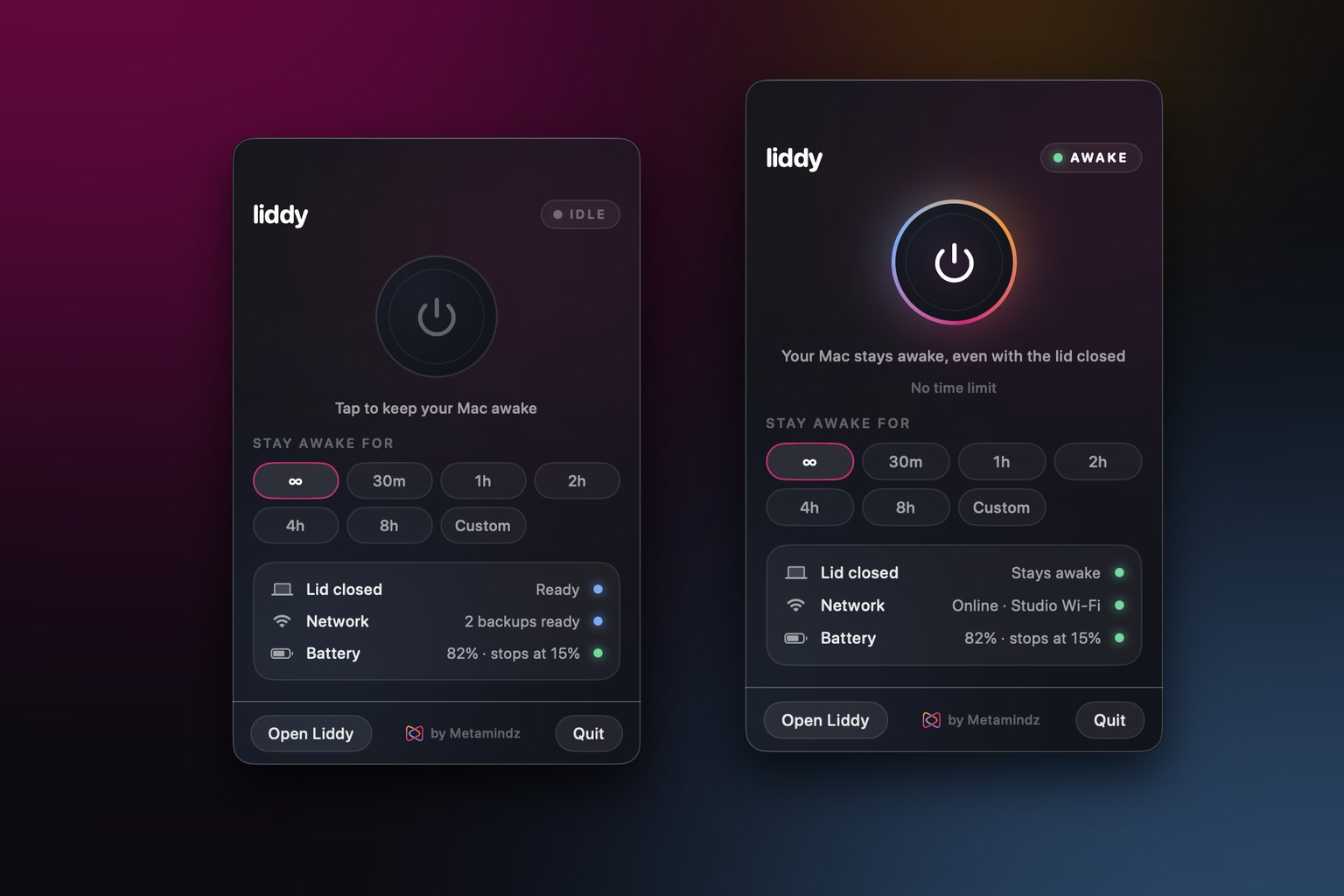
Amphetamine is still the most feature-rich free keep-awake app for Mac, and if it works for you, keep it. The main alternatives are Caffeine and KeepingYouAwake for simple open-lid use, the built-in caffeinate command if you live in Terminal, and Liddy if you need the Mac to stay awake with the lid closed on battery, without an external display, with backup Wi-Fi.
Last updated: 22 November 2026
I've used most of these apps over the years, usually for the same boring reason: a long build, a big download, or a coding agent that needs the Mac to stay awake while I'm away from the desk. They all solve "don't go to sleep", but they solve different versions of it. The biggest difference is what happens when you close the lid.
Everything below is taken from each app's own App Store listing, website or GitHub repository, which I've linked in the Sources section. Where an app's docs don't mention a feature, I say so rather than guess.
What does Amphetamine actually do?
Amphetamine is a free app on the Mac App Store by William Gustafson. According to its listing, it can keep your Mac (and optionally the display) awake:
- indefinitely, for a set time, or until a set time
- while a file is downloading
- while a specific app is running
It also has Triggers, which start a session automatically based on conditions. The listing names a long list of them, including an external display being connected, a specific Wi-Fi network, a USB or Bluetooth device, battery level or charging state, CPU use and idle time.
Other features listed on the App Store page include keeping a MacBook awake while its lid is closed, auto-ending a session when the battery is low, AppleScript support, hot keys, and moving the mouse cursor periodically. The developer says there are no ads, no in-app purchases and no tracking, and it needs macOS 10.11 El Capitan or later.
What is Amphetamine Enhancer?
Amphetamine Enhancer is a separate, open-source helper app from the same developer, downloaded from GitHub. Its README explains that Amphetamine is sandboxed (all Mac App Store apps are), so some things are off limits to it. The Enhancer is distributed outside the App Store, and in its 1.0 release it adds two things:
- a fail-safe for the closed-display mode feature in Amphetamine 5.0 and later
- the ability to use all running processes with Triggers and app-based sessions
The README says the Enhancer is notarised by Apple and licensed under MIT. The repository's last commit is from February 2020, so check it still suits your macOS version before relying on it.
Why look for an Amphetamine alternative?
If Amphetamine does what you need, there's no reason to switch. People usually look elsewhere for one of these reasons:
- They want something simpler. Amphetamine has a lot of options. Some people just want a single on/off icon.
- They want open source they can read. Caffeine and KeepingYouAwake are both MIT-licensed on GitHub.
- They want closed-lid use without a separate helper download. Closed-display mode with the fail-safe means installing the Enhancer from GitHub as well.
- They want something the keep-awake apps don't do, such as switching to a backup Wi-Fi network or iPhone hotspot when the connection drops.
- They'd rather not install anything, in which case
caffeinateis already on the Mac.
How do the alternatives compare?
Here's a side-by-side view. "Not stated" means I couldn't find it in that app's own docs, which isn't the same as "definitely can't".
| Amphetamine | Caffeine | KeepingYouAwake | caffeinate | Liddy | |
|---|---|---|---|---|---|
| Price | Free | Free, open source (MIT) | Free, open source (MIT) | Built into macOS | Free (email needed to download) |
| Where to get it | Mac App Store | caffeine-app.net | GitHub or Homebrew | Already installed | metamindz.co.uk/liddy |
| Menu bar app | Yes | Yes | Yes | No (Terminal) | Yes |
| Timer | Yes, plus "until a set time" | Yes, timeout and default duration | Yes, predefined durations | Yes, -t seconds |
Yes, presets or custom up to 24 h |
| Automatic triggers | Yes, many | Not stated | Not stated | Wait for a process (-w) |
No |
| Closed lid | Yes (Enhancer adds a fail-safe) | Not stated | No (README says open lid only) | No | Yes, including on battery with no display |
| Low battery cut-off | Yes | Not stated | Not stated | No | Yes, 5 to 50% |
| Backup Wi-Fi failover | No | No | No | No | Yes |
| Minimum macOS | 10.11 | 11 Big Sur | See the repo | Any current macOS | 14 Sonoma |
Which simple apps keep a Mac awake?
Caffeine
Caffeine is the original. Its website says it was first built by Tomas Franzén of Lighthead Software in 2006, and since 2018 it has been continued as open source by others. The current version (1.6.4 on its site) needs macOS 11 Big Sur or later, and the source is on GitHub under the MIT licence.
What it does, per its site: a coffee cup icon in the menu bar. Click it and your Mac won't automatically sleep, dim the screen or start the screen saver. Right-click for a menu where you can set a timeout. Preferences cover starting at login, activating on launch, and a default duration.
That's it, and that's the point. Its own FAQ says its strength is simplicity. Its docs don't mention closed-lid support, so I wouldn't count on it for that.
KeepingYouAwake
KeepingYouAwake is a small, open-source menu bar utility (MIT licence) that prevents sleep for a set duration or for as long as it's switched on. You can download it from GitHub or install it with brew install --cask keepingyouawake.
Its README is refreshingly direct about two things:
- It's a wrapper around Apple's
caffeinatecommand line tool. - It does not work with a closed lid. It only prevents sleep on desktop Macs and on laptops with the lid open, for what the author calls sensible macOS limitations and thermal reasons.
The repository is actively maintained, with commits in August 2026. If you want a tidy, trustworthy open-lid app, it's a very good pick.
What about InsomniaX and NoSleep?
InsomniaX used to be the go-to for closed-lid use. Its GitHub repository now says plainly that the software is abandonware, with no further updates or binaries, and the repository was archived in June 2019. It relied on a kernel extension, and the README's own install notes for macOS 10.12 and later involve temporarily disabling Gatekeeper. I wouldn't install it on a current Mac.
I couldn't find an official, maintained source for a "NoSleep" Mac app to verify, so I've left it out of the comparison rather than repeat second-hand claims.
Can I just use caffeinate instead?
Yes, for most open-lid jobs. caffeinate ships with macOS, so there's nothing to install. According to its manual page (man caffeinate):
- With no flags, it prevents idle sleep until you stop it.
-dkeeps the display awake,-iprevents idle system sleep,-mprevents disk idle sleep.-sprevents system sleep, but only when the Mac is on AC power.-t 3600sets a timeout in seconds.-w <PID>holds the assertion until that process exits.
You can also wrap a single command, so the Mac stays awake exactly as long as the job runs:
caffeinate -i make build
Press Ctrl+C to stop it. The limitation is the lid: caffeinate won't keep a closed MacBook awake unless you're in Apple's closed-display mode with an external display and accessories connected. I cover every flag in the caffeinate command guide.
Which apps keep a MacBook awake with the lid closed?
This is where the options thin out. Apple's own supported way to use a closed MacBook is closed-display (clamshell) mode, which needs an external display and accessories connected. Outside that, you need a tool that goes further than a standard "prevent idle sleep" assertion.
From the apps above, based on their own docs:
- Amphetamine lists keeping a MacBook awake with the lid closed, and the Enhancer adds a fail-safe for that mode.
- KeepingYouAwake says no.
- Caffeine doesn't mention it.
- caffeinate can't on its own.
- Liddy is built specifically for it.
I explain all the routes, including the manual pmset method and how to undo it safely, in how to keep a Mac awake with the lid closed. If you use an external monitor, the clamshell mode guide covers what Apple supports and what it doesn't.
Where does Liddy fit?
Full disclosure: Liddy is ours. We built it at Metamindz because I kept closing my MacBook on a running coding agent, putting it in a bag, and finding it asleep (and offline) when I opened it again. It's a free menu bar app, and I'll be specific about what it does and doesn't do.
What it does:
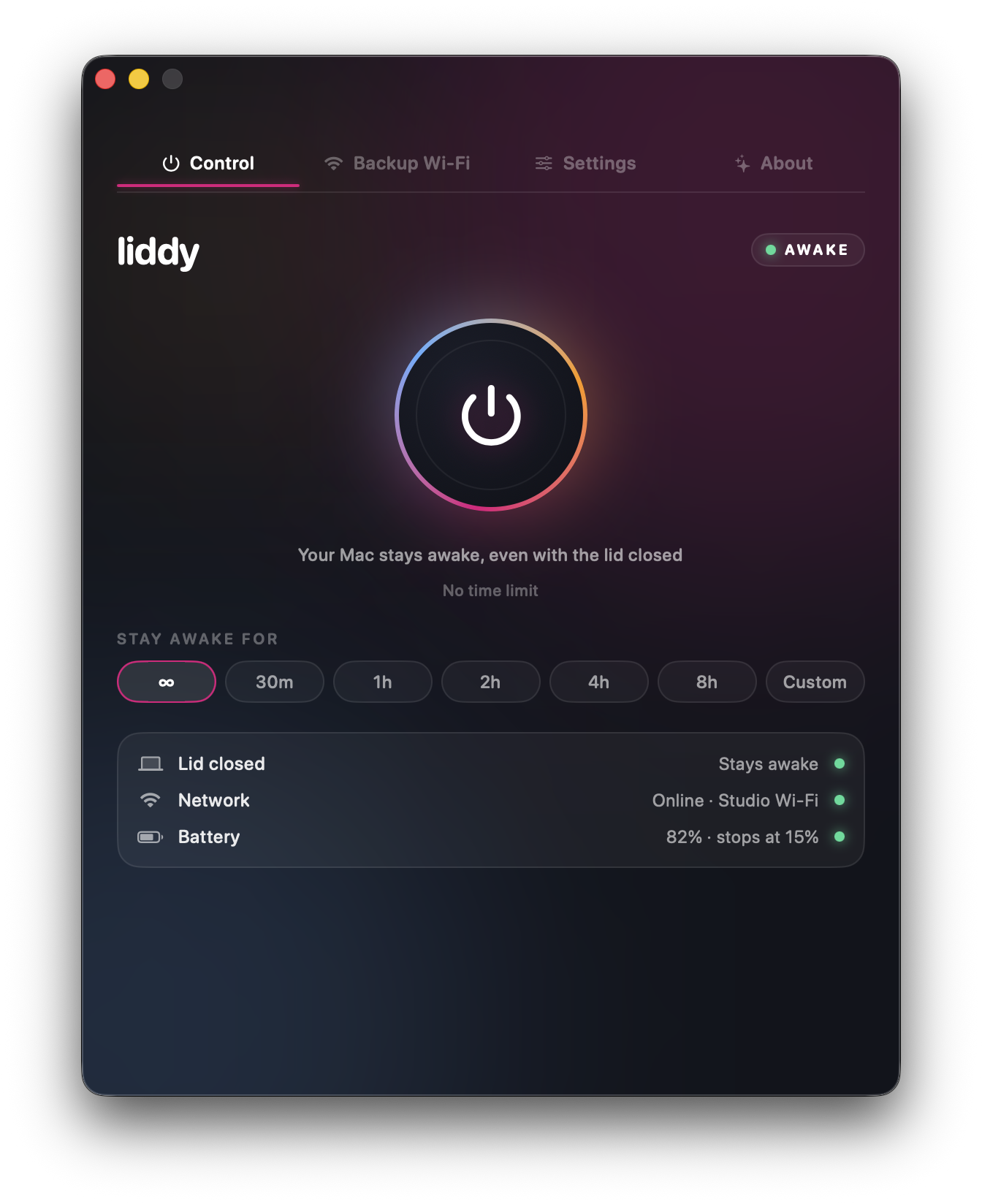
- Keeps a MacBook awake with the lid closed, on battery and with no external display. You approve a small privileged helper once in System Settings, and it runs
pmset -a disablesleep 1while Liddy is on and resets it to0when Liddy turns off, quits, crashes or the Mac restarts. - Holds a standard "prevent idle sleep" assertion as well, like the other apps.
- Timers: unlimited, 30 minutes, 1, 2, 4 or 8 hours, or custom in 15-minute steps up to 24 hours.
- Battery cut-off: turns itself off at a battery level you choose (default 15%, adjustable from 5 to 50%) and notifies you.
- Backup Wi-Fi failover: while it's on, it checks real internet access every 30 seconds. After 15 seconds offline it tries your backup networks in order (an iPhone hotspot, for example) and confirms you're back online. Passwords live in the macOS Keychain.
- URL commands such as
open liddy://onandliddy://off, which work from Shortcuts, Raycast, Alfred or Terminal.
What it doesn't do:
- No automatic triggers like Amphetamine's. You switch it on yourself, by timer, or via a URL command.
- It can't switch on your iPhone's Personal Hotspot for you (Apple offers no way to do that). The hotspot has to be on and visible.
- It needs macOS 14 Sonoma or later, so it won't run on older Macs that Amphetamine still supports.
- The download asks for an email address. There's no account, card, subscription or in-app purchase, and no analytics in the app.
Which keep-awake app should you choose?
Pick by the job, not the feature list:
- You just want the Mac awake while the lid is open. KeepingYouAwake or Caffeine. Both are free, open source and simple.
- You want automation (stay awake when an external display is connected, on a certain Wi-Fi network, while an app runs). Amphetamine. Nothing else here matches its Triggers.
- You don't want to install anything.
caffeinate -iin Terminal, or wrap your command with it. - You need a closed lid on battery with no display, and you can't afford to drop offline. Liddy. This is the case it was built for, for example running Claude Code with the lid closed.
- You're on a Mac older than Sonoma and need a closed lid. Amphetamine with the Enhancer is the option to look at.
Whatever you use, remember a closed laptop in a bag gets warm. Keep it somewhere with airflow, and use a battery cut-off if your app has one.
If the closed-lid and backup Wi-Fi case is yours, download Liddy free. It takes about a minute to set up.
Sources
- Amphetamine on the Mac App Store: https://apps.apple.com/gb/app/amphetamine/id937984704?mt=12
- Amphetamine Enhancer, GitHub repository and README: https://github.com/x74353/Amphetamine-Enhancer
- Caffeine official website: https://www.caffeine-app.net/
- Caffeine source code, GitHub: https://github.com/domzilla/Caffeine
- KeepingYouAwake, GitHub repository and README: https://github.com/newmarcel/KeepingYouAwake
- InsomniaX, GitHub repository and README: https://github.com/semaja2/InsomniaX
- Apple, caffeinate(8) manual page (run
man caffeinatein Terminal) - Apple Support, Connect an external display to your MacBook Pro: https://support.apple.com/guide/macbook-pro/connect-an-external-display-apd8cdd74f57/mac
Frequently asked questions
Is Amphetamine still free?
Yes. Its Mac App Store listing says it's 100% free, with no ads, no in-app purchases, no "pro" version and no tracking. The separate Amphetamine Enhancer helper is also free and open source on GitHub.
Do I need Amphetamine Enhancer for closed-lid mode?
Amphetamine 5.0 and later has a closed-display mode built in. According to the Enhancer's README, the Enhancer adds a fail-safe for that mode and lets Triggers see all running processes. If you rely on closed-lid use, it makes sense to install both.
Does KeepingYouAwake work with the lid closed?
No. Its README says it only prevents sleep on desktop Macs and on portable Macs with the lid open, citing macOS limitations and thermal considerations. It's a wrapper around Apple's caffeinate tool, which has the same limit.
Is InsomniaX safe to use on a modern Mac?
Its developer describes it as abandonware, and the GitHub repository has been archived since June 2019 with no further updates or binaries. It used a kernel extension and its install notes involve disabling Gatekeeper temporarily. I'd use a maintained app instead.
What's the difference between Caffeine and caffeinate?
Caffeine is a free, open-source menu bar app you download. caffeinate is a command line tool that's built into macOS. Both prevent idle sleep, and neither is documented as keeping a closed MacBook awake on its own.
Can a keep-awake app keep my Mac online as well as awake?
Most can't, because staying awake and staying connected are separate problems. Liddy can switch to a backup Wi-Fi network, such as an iPhone hotspot that's already switched on, when it detects the internet has dropped. See the hotspot guide for the built-in macOS options too.